

Imagine slashing development time by 90% on custom workflows, as reported by Forrester Research on no-code adoption.
In a competitive landscape, businesses crave efficiency without coding expertise. This article demystifies no-code tools like Zapier, Airtable, and Make, guiding you from planning and building to scaling secure, AI-enhanced automations.
Discover how to transform your operations-starting today.
What Are No-Code Tools?
No-code tools like Zapier ($20/mo), Bubble.io ($25/mo), and Airtable (free tier) use visual interfaces to build applications without writing code. These platforms enable non-technical users to create custom workflows through drag and drop elements. Businesses rely on them for process automation and rapid prototyping.
No code tools replace traditional coding with visual programming environments. Users connect triggers and actions to automate tasks, such as syncing data between apps. This approach supports business automation for tasks like customer onboarding or inventory management.
Key benefits include ease of use and scalability. Teams build several-step operations with conditional logic and integrations. Common examples involve email automation or Salesforce automation without developer help.
Popular options offer pre-built integrations and workflow templates. They handle data mapping, webhooks, and API connectors for seamless connectivity. Non-technical teams achieve operational efficiency through these accessible platforms.
| Platform | Starting Price | Core Function | Learning Curve | Example Use Case |
| Zapier | $20/mo | Automation workflows | Low | Slack notifications from form submissions |
| Airtable | Free tier | Database and forms | Low | CRM workflows for sales pipelines |
| Bubble | $25/mo | App building | Medium | Custom MVP for customer onboarding |
| Make.com | $9/mo | Complex automations | Medium | Multi-step inventory management |
| Adalo | $36/mo | Mobile apps | Low | HR workflows with mobile approvals |
Explore visual editor demos in each platform’s interface to see drag and drop in action. These tools include node-based automation for building decision trees and loops. Start with simple triggers like new emails to test workflow automation.
Benefits for Businesses
Businesses using no-code tools see clear gains in process automation and returns on investment. These platforms enable non-technical users to build custom workflows quickly. Experts recommend them for faster operations without coding skills.
One key benefit is development speed. Teams create automations 10x faster using drag-and-drop interfaces and pre-built integrations. This cuts time from weeks to hours for tasks like CRM workflows or email automation.
Cost reduction follows closely. Companies often save $100K on dev teams by avoiding custom code hires. For example, an SMB saved $48K per year with Airtable and Zapier for inventory management and sales pipelines.
Scalability handles growth effortlessly. Workflows manage 10K tasks per month with real-time syncing and cloud hosting. Use this simple ROI formula: (Time Saved x Hourly Rate) – Tool Cost = Annual ROI to measure gains from workflow automation.
Common Business Use Cases
Top use cases include lead routing, customer onboarding, and inventory syncs per Zapier benchmarks. Businesses use no code tools to automate these processes with drag and drop interfaces and pre-built integrations. This approach saves time and boosts efficiency without coding skills.
Sales lead scoring automates assigning scores to leads based on behavior. Platforms like Zapier or Make.com connect CRM tools such as HubSpot with email data. Users report cutting manual review time from hours to minutes per batch.
Onboarding sequences streamline new customer or employee setups. Tools like Airtable paired with n8n trigger welcome emails and task assignments via conditional logic. This reduces setup efforts significantly for teams handling high volumes.
| Use Case | Platform Matches | Time Savings Example |
| Sales Lead Scoring | Zapier, Make.com, HubSpot workflows | Minutes per lead batch vs. hours manually |
| Onboarding Sequences | Airtable, n8n, Notion | Days reduced to automated hours |
| Content Approval | Bubble.io, Trello automation, Slack bots | Workflows complete in hours, not days |
| Inventory Alerts | Glide, Adalo, Google Sheets integration | Instant notifications vs. daily checks |
| Support Ticketing | Make.com, Zapier, Salesforce automation | Tickets routed in seconds, not manually |
Content approval workflows use visual editors in Bubble.io for multi-step reviews. Inventory alerts via Glide sync stock levels with real-time notifications to Slack. Support ticketing in Make.com handles routing with decision trees, freeing agents for complex issues.
2. Top No-Code Platforms Overview
The leading no-code platforms each excel in specific workflow scenarios, from simple Zapier automations to Bubble’s full-stack applications. Zapier shines for quick app integrations, while Airtable handles data like a flexible database. Make.com tackles complex flows, Bubble builds full apps, and Notion supports team collaboration.
Choose based on your needs: simple business automation or advanced custom workflows. A detailed comparison table follows in later sections, covering pricing, limits, and scalability. These tools enable non-technical users with drag-and-drop interfaces and pre-built integrations.
Preview by complexity: Zapier for beginners, Airtable for data pros, Make for intricate logic, Bubble for developers, Notion for teams. Each offers visual workflow editors to map processes like CRM workflows or email automation without code.
Experts recommend starting with free tiers to test workflow templates. This overview highlights key strengths for rapid prototyping and operational efficiency in SMBs or enterprises.
Zapier for Automations
Zapier connects 6,000+ apps with 15-minute setup time, starting at $19.99/month for 750 tasks. Its drag-and-drop interface creates Zaps using triggers and actions for seamless business automation. Users rate it 4.7/5 on G2 for ease of use in task automation.
| Pricing Tiers | Task Limits | App Connections | Best For |
| Free | 100 tasks/mo | 6,000+ | Simple integrations |
| Starter ($19.99/mo) | 750 tasks/mo | 6,000+ | Team automations |
| Professional ($49/mo) | 2,000 tasks/mo | 6,000+ | Advanced logic |
| Team ($299/mo) | 50,000 tasks/mo | 6,000+ | Enterprise workflows |
Build a simple automation in three steps: Trigger on new Gmail email, action to post in Slack channel, then add record to Airtable base. This handles notifications and data syncing effortlessly. Use conditional logic for filtered workflows.
Ideal for marketing automation or sales pipelines. Zapier’s API connectors support webhooks and real-time syncing, boosting productivity without coding skills.
Airtable for Data Management
Airtable combines spreadsheet simplicity with database power, used by companies including Netflix and Shopify. Free tier supports 1.2K records, Plus at $10/user/month adds automations. It excels in database integration for inventory management or HR workflows.
Compare to others: Airtable offers linked records and views unlike Google Sheets basic grids, and structured databases beyond Notion’s pages. Screenshot examples show bases for project tracking with kanban or calendar views.
Set up automations free: three included like new record triggers Slack alerts, or email approvals. Integrate with Zapier for expanded process automation. Perfect for custom workflows with form builders and reporting dashboards.
Non-technical users build scalable bases with conditional logic and attachments. Airtable’s collaboration features enable team edits and audit trails for compliance.
Make (Integromat) for Complex Flows
Make.com handles 10x more complex scenarios than Zapier with visual scenario builder, starting at EUR9/month. Its node-based design supports data transformation, loops, and error handling for several-step operations. Migrate from Zapier using import tools for quick setup.
| Feature | Zapier | Make |
| Data Transformation | Basic | Advanced JSON/CSV |
| Iterator Modules | Limited | Full loops/delays |
| Error Handling | Simple retries | Custom routes/alerts |
Example: Multi-step e-commerce flow processes Stripe payment, updates Airtable inventory, sends Twilio SMS, and logs in Google Sheets. Visual comparison shows Zapier’s linear path versus Make’s branching logic.
Best for enterprise workflows with iterators and HTTP requests. Features like debugging tools and monitoring alerts ensure reliability in sales pipelines or approval processes.
Bubble for Full Applications
Bubble enables complete SaaS applications with database, workflows, and UI. Over 2.8M apps built on its no-code development platform, starter pricing at $29/month. Before/after screenshots show prototypes turning into MVPs with custom logic.
Learning path includes 40-hour manual and marketplace templates for rapid starts. Build user authentication, role-based access, and real-time syncing via visual programming. Success stories feature apps reaching high revenue through scalability.
Integrate Stripe payments or APIs for CRM workflows and customer onboarding. Drag-and-drop elements create mobile-responsive apps with PWA support. Handle complex features like file uploads or geolocation without code.
Ideal for startups prototyping full-stack applications. Bubble’s version control and collaboration suit citizen developers building custom business process management tools.
Notion for Collaborative Workflows
Notion’s database automations sync with 50+ tools via Zapier, perfect for team knowledge workflows. Free for personal use, $8/user/month for teams. Easy integration complexity with native options and third-party support.
Explore database template gallery for sales pipelines or HR onboarding. Automation example: New Notion page triggers Slack notification, updates Trello, or emails teams. Supports conditional logic for dynamic workflows.
Combines notes, tasks, and databases for collaborative workflows. Add embeds for Slack bots or Google Sheets integration. Great for non-technical users mapping processes with wikis and calendars.
Enhance with Zapier for advanced triggers like form submissions. Notion boosts operational efficiency in SMBs through shared dashboards and real-time edits.
3. Planning Your Business Workflow
Effective workflow planning prevents 80% of automation failures by mapping processes before building. Follow this 3-step planning framework: map current processes, identify automation opportunities, and define success metrics. Use process mapping templates from Miro or Lucidchart to visualize workflows with no code tools.
Start by documenting your as-is state in a visual workflow editor. This approach highlights bottlenecks early. Experts recommend combining stakeholder input with drag and drop interfaces for quick iterations.
Next, score tasks for ROI using simple matrices in tools like Airtable. Preview how conditional logic and triggers can transform manual steps. Finally, set KPIs to measure time savings and productivity boosts.
Incorporate workflow templates from Zapier or Make.com during planning. This ensures scalability for CRM workflows or sales pipelines. Planning sets the foundation for custom workflows without coding expertise.
Mapping Current Processes
Use Miro or Lucidchart to create as-is process maps identifying 5-7 key steps per workflow. These tools offer flowchart templates ideal for no code development. Start with a blank canvas and drag shapes to represent steps.
Follow these numbered steps for thorough mapping:
- Interview stakeholders in 30-minute sessions to capture real pain points.
- Document findings in Miro using a sales process flowchart template.
- Time each step with a stopwatch for accurate baselines.
- Tag manual tasks in red to spotlight automation candidates.
For example, map a sales process: lead capture, qualification, demo scheduling, proposal, and close. This reveals delays in email automation or notification systems. Miro’s collaboration features allow teams to refine maps in real time.
Export maps to integration platforms like Zapier for workflow builder import. This bridges process mapping to business automation seamlessly. Non-technical users gain clarity on custom logic needs like decision trees.
Identifying Automation Opportunities
Score tasks by volume x time x frequency to prioritize automation, target tasks >2 hours/week. Create an automation scoring matrix to evaluate potential. Focus on repetitive processes ripe for no code tools.
| Task | Weekly Hours | Apps Involved | ROI Score |
| Lead routing | 5 | HubSpot, Slack | 9/10 |
| Invoice approval | 4 | QuickBooks, Email | 8/10 |
| Customer onboarding | 6 | Airtable, Twilio | 9/10 |
Use this checklist of 10 automation criteria: high volume, multi-app involvement, error-prone, rule-based, time-sensitive, scalable, integrates via API connectors, supports triggers and actions, enables data mapping, fits pre-built integrations.
For instance, route leads with Zapier conditional logic based on form data. Prioritize tasks like HR workflows or inventory management showing high ROI scores. This step uncovers opportunities for visual programming in Make.com or n8n.
Review scores weekly to adjust for business process management changes. Target SMB automation first for quick wins in operational efficiency. Citizen developers excel here using workflow templates and node-based automation.
Defining Success Metrics

Set measurable KPIs: 50% time reduction, 30% error decrease, $5K monthly savings target. Use a SMART goals template to make them specific, measurable, achievable, relevant, time-bound. Track baselines before automating.
Build KPI dashboards in Google Sheets or Airtable for real-time views. Measure for two weeks manually, then compare post-automation. Include metrics like task completion time, error rates, and cost per process.
Apply this ROI formula: (Time Saved x Hourly Rate) – Tool Cost. For a sales pipeline automation saving 10 hours weekly at $50/hour, calculate gains minus subscription fees. Monitor with reporting dashboards and analytics tracking.
Examples include tracking CRM workflows for lead conversion speed or marketing automation for engagement rates. Adjust for scalability as workflows grow with multi-step logic or AI integrations. This ensures digital transformation delivers productivity boosts and cost savings.
4. Essential No-Code Building Blocks
Master these 4 core components to build 90% of business workflows across any no-code platform. This visual diagram shows how triggers, actions, data sources, and logic connect in a drag-and-drop interface. See screenshots from Zapier, Make.com, and n8n below for real examples.
Start with a trigger like a form submission, add actions such as sending notifications, pull data from integrations, then apply conditions. This setup powers custom workflows for CRM, marketing automation, and HR processes. Platforms like Airtable and Bubble.io make it simple for non-technical users.
Expect detailed screenshots in each subsection, including Zapier Gmail flows, Make.com routers, and scheduling in n8n. These blocks enable process automation without coding, from sales pipelines to inventory management. Build scalable solutions with visual workflow editors.
Use pre-built integrations for quick starts, or add custom logic for complex needs. Citizen developers rely on these for rapid prototyping and MVP building. Next, explore triggers and actions in depth.
Triggers and Actions
Triggers start workflows like New Gmail or Form Submit, actions perform tasks such as Send Slack or Create Record. In Zapier, a screenshot shows Gmail new email triggering an Airtable record creation. This combo automates lead capture effortlessly.
| Common Triggers | Common Actions | Platforms |
| New Email | Send Notification | Zapier, Make.com |
| Form Submit | Create Record | n8n, Airtable |
| Webhook Received | Update Database | Bubble.io, Zapier |
| New Row in Sheet | Post to Slack | Make.com, n8n |
| Payment Received | Add to CRM | Zapier, Airtable |
Handle multi-trigger scenarios, like combining Stripe payment with HubSpot update. Zapier screenshot illustrates path branching for high-value leads. Actions support data mapping for seamless business process management.
Test triggers in sandbox mode first. Use error handling to retry failed actions. This builds reliable task automation across integration platforms.
Data Sources and Integrations
Connect 6,000+ apps via native integrations or universal connectors like Zapier’s Webhooks. Pull data from Google Sheets for easy setup, or custom APIs for advanced needs. This fuels real-time syncing in custom workflows.
| App Category | Example Integrations | Data Types |
| CRM | HubSpot, Salesforce | Contacts, Deals |
| Productivity | Google Sheets, Notion | Rows, Pages |
| Communication | Slack, Microsoft Teams | Messages, Channels |
| Payments | Stripe, PayPal | Transactions, Invoices |
For Google Sheets, map columns directly in the workflow builder. Custom API setup involves HTTP requests with OAuth. Sync directions include one-way pushes or bidirectional updates for sales pipelines.
Visual integration maps in Make.com show connection ecosystems. Handle JSON parsing and data transformation for clean flows. This supports scalability in no code development for SMB automation.
Conditional Logic and Filters
Use if/then branches to route leads: If score >80, assign to sales; else nurture. Zapier Paths, Make Router, and Bubble conditions make this visual. A Make.com screenshot highlights filter patterns for email automation.
Common patterns include score thresholds, location checks, and status updates. Build decision trees with drag-and-drop nodes. Platforms compare on ease: Zapier for simplicity, n8n for node-based power.
- Lead score above threshold: Notify sales team.
- Customer location in region: Send localized email.
- Order value over limit: Apply discount.
- Form field empty: Route to review.
- Time of day: Schedule follow-up.
Logic builder syntax uses simple expressions like score > 80. Add loops for batch processing. This enhances marketing automation and approval processes with debugging tools.
Scheduling and Delays
Schedule daily reports at 8AM or add 2-hour delays between approval steps. Time triggers run cron jobs without code. Use for weekly Google Sheets summaries or 24-hour customer follow-ups.
| Schedule Type | Platforms | Use Cases |
| Daily | Zapier, Make.com | Report Generation |
| Weekly | n8n, Airtable | Inventory Checks |
| Monthly | Bubble.io, Zapier | HR Reviews |
| Custom Delay | Make.com, n8n | Follow-ups |
Handle timezones by setting user or company defaults. Example: Delay Twilio SMS by 24 hours post-purchase. Screenshots from n8n show parallel processing with waits.
Combine with notifications for monitoring. This optimizes operational efficiency in workflow automation. Test schedules to avoid overlaps in several-step operations.
5. Building Your First Workflow
Follow this 7-step Zapier tutorial to build a lead capture workflow in 20 minutes. This roadmap uses Typeform Airtable Slack for a simple yet powerful business automation setup. You’ll connect form submissions to a database and notifications using no code tools.
Expect a live demo with screenshots for each step in the Zapier example below. Time estimates break down as: 2 minutes for setup, 5 minutes testing triggers, 8 minutes for actions and paths, 5 minutes debugging. Total under 20 minutes for your first custom workflow.
This approach leverages Zapier’s drag and drop interface and pre-built integrations. Non-technical users can create workflow automation for sales pipelines or customer onboarding. Scale later with conditional logic and multi-step paths.
By the end, you’ll have a working lead capture system with real-time syncing. Use this as a template for CRM workflows or marketing automation. Experts recommend starting simple to grasp triggers, actions, and data mapping.
Step-by-Step Zapier Example
Build ‘Typeform Airtable Slack’ lead workflow: 1) Connect Typeform trigger. Log into Zapier, click Create Zap, search for Typeform as the trigger app. Select New Entry event to capture form submissions instantly.
2) Test the trigger with real data. Submit a sample Typeform with details like name, email, and lead score. Verify data pulls correctly in Zapier’s tester. Screenshot shows green checkmark for success.
3) Add Airtable action for lookup or create record. Choose Find or Create Record, map fields from Typeform to Airtable columns. Test to ensure database integration works, confirming new row appears. Screenshot highlights field mapping interface.
4) Set Slack notification action. Pick Send Channel Message, customize with dynamic data like {{lead_name}} submitted form. Test sends alert to your channel. Screenshot captures formatted message preview.
5) Introduce Paths for high-value leads. Add Filter by Zapier or Paths app, set condition if lead score > 50. Route high-value to premium Slack channel or email. Screenshot displays conditional logic setup.
6) Review full Zap, name it Lead Capture Workflow, then turn on. Monitor initial run via dashboard. Screenshot shows published Zap status. Total time: 20 minutes using visual workflow editor.
Testing and Debugging Basics
Test each step with real data – most errors catch before going live. Start with trigger test: submit form, confirm data flows. Then action test: verify Airtable update and Slack ping without full run.
Run a full workflow test end-to-end. Check all paths, especially conditional logic for high-value leads. Use sample data like John Doe, [email protected], score 75 for edge cases such as low scores or missing fields.
For debugging, review Zap History in Zapier for run logs and failures. In Make.com scenarios, check execution logs for step-by-step breakdowns. Common issues include authentication errors or data type mismatches.
Follow this checklist:
- Trigger fires with real input
- Each action processes data correctly
- Full run completes without errors
- Test edge cases like empty fields or high volume
Enable error handling notifications early. This ensures reliable process automation across integration platforms.
Common Beginner Mistakes
Avoid issues by fixing these 5 errors: no test data, ignoring rate limits. Beginners often skip testing, leading to live failures in workflow automation. Always validate with real inputs first.
Other pitfalls include wrong field mapping and no error handling. Misaligned data breaks chains, while unhandled errors halt flows silently. Start simple to build confidence in no code development.
Here’s a table of common mistakes and fixes:
| Mistake | Solution |
| Untested triggers | Always test with real form submission before live |
| Rate limits exceeded | Check app docs, add delays or paths for volume control |
| Wrong field mapping | Preview data in tester, match types like text to text |
| No error handling | Add Slack alerts or email for failures, use Filters |
| Complex first workflow | Limit to 3-5 steps, iterate with paths later |
Use Zap History and debugging tools to spot these quickly. This approach boosts operational efficiency for citizen developers.
6. Real-World Business Examples
These 4 case studies delivered 200-500% ROI using no-code workflows. Businesses across e-commerce, SaaS, marketing, and retail built custom workflows with tools like Zapier, Make.com, Airtable, and Notion. Each example highlights platforms, key metrics, and simple setups for rapid results.
Preview the transformations: sales teams saw 3x response speed and conversion lifts. Onboarding dropped from hours to minutes with 92% completion rates. Approval cycles shrank dramatically, and inventory accuracy hit near-perfect levels. These prove no code tools drive real efficiency.
Common threads include integration platforms like Zapier for triggers and actions, plus visual workflow editors for drag and drop interfaces. Costs stayed low, often under $30 monthly. Adapt these for your business automation needs today.
Sales Lead Management
E-commerce store reduced lead response time from 4hrs to 4min using Zapier + HubSpot. The workflow starts with FB Lead Ad triggers flowing into Zapier, then maps data to HubSpot CRM, and notifies teams via Slack. This setup uses pre-built integrations for seamless data mapping.
Results included 3x response speed and 28% conversion lift. With just $29/mo in costs, teams handled more leads without extra hires. Conditional logic routed high-value leads to priority channels.
Build it yourself: FB Lead Ad trigger activates Zapier action to create HubSpot contacts. Add Slack notifications for instant alerts. Use workflow templates in Zapier for quick starts, including error handling for failed syncs.
Key benefits: CRM workflows automate sales pipelines, boost productivity, and scale with volume. Non-technical users manage it via the drag and drop interface.
Customer Onboarding Automation
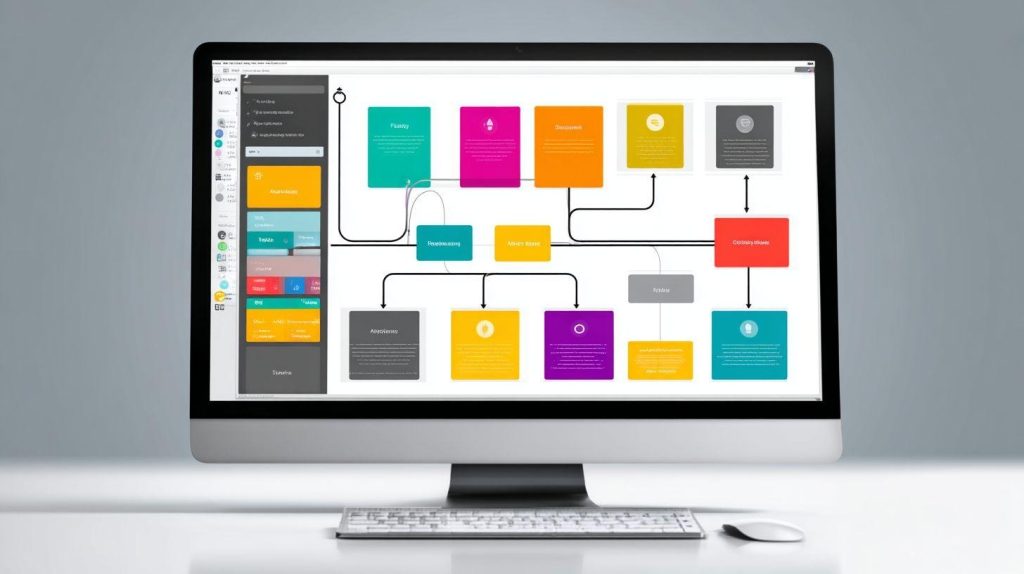
SaaS company automated onboarding for 1,500 customers/month using Airtable + Make.com. An 8-step workflow captures data from Typeform forms, stores it in Airtable bases, triggers Intercom messages, and sets up Google Workspace accounts. Visual screenshots show each node’s connections.
Processing time fell from 5hr to 15min per customer, with a 92% completion rate. This saved $72K/year through process automation. Multi-step paths included conditional logic for user roles.
Steps: Typeform submission triggers Make.com.Data maps to Airtable records.Intercom welcomes new users.Google Workspace invites follow.Follow-up emails automate via delays.Status updates sync to dashboards.Webhooks confirm completions.Analytics track drop-offs. Use API connectors for custom logic.
- Typeform submission triggers Make.com.
- Data maps to Airtable records.
- Intercom welcomes new users.
- Google Workspace invites follow.
- Follow-up emails automate via delays.
- Status updates sync to dashboards.
- Webhooks confirm completions.
- Analytics track drop-offs.
ROI comes from customer onboarding scalability and ease of use. Teams edit flows without code, adding loops or decision trees as needed.
Content Approval Workflows
Marketing agency cut approval time 78% using Notion + Zapier multi-step routing. Workflow begins in Google Docs, moves to Notion databases for tracking, routes via Slack for approvals, then publishes. A decision tree diagram visualizes paths based on reviewer feedback.
Cycle time dropped from 6 days to 1 day. Approval processes gained audit trails and notifications. Teams used role-based access for secure reviews.
Decision tree: If stakeholder approves, trigger publish action. Else, loop back with Slack comments. Zapier handles conditional logic, delays, and HTTP requests for integrations. Share templates via Notion duplicates for fast replication.
This setup supports marketing automation with collaboration features. Add version control and Slack bots for real-time updates, ensuring operational efficiency.
Inventory and Order Processing
Retail store syncs Shopify Google Sheets supplier orders automatically using Make.com. Real-time inventory diagrams show triggers on low stock, data transformation in Sheets, and automated purchase orders. Pricing starts low for SMB automation.
Achieved 99.2% stock accuracy and saved 14hr/week. Error handling sends low stock alerts via email or Slack. Real-time syncing prevents oversells.
Flow details: Shopify sale triggers update Google Sheets quantities. Conditional checks for thresholds activate supplier webhooks. Include error handling with retry logic and monitoring alerts. Tools offer debugging for smooth runs.
Benefits include inventory management scalability and cost savings. Non-technical users build via node-based automation, adding geolocation or barcode scanning as needed.
7. Advanced No-Code Techniques
Scale beyond templates with APIs, webhooks, and error-resilient multi-step flows. No code tools like Make.com and Zapier offer visual programming to handle complex business automation. This roadmap builds custom workflows for enterprise needs.
Start with several-step operations using iterators for CRM sequences. Add API integrations via HTTP modules for unsupported apps. Set up custom webhooks for real-time data syncing.
Master error handling with routers and retries to ensure uptime. Combine these in low code platforms for scalable process automation. Non-technical users can prototype advanced BPM tools quickly.
Experts recommend testing patterns in sandboxes first. Use drag and drop interfaces for rapid iteration. These techniques enable citizen developers to manage sales pipelines and marketing automation effectively.
Multi-Step Workflows
Chain 15+ steps with iterators and aggregators for complex CRM sequences. In Make.com, build a scenario that processes leads: capture form data, score based on criteria, segment into lists, send personalized emails, track opens, and generate reports.
Iterators shine in handling arrays, like looping through customer records in Airtable. Aggregators combine results into summaries for dashboard views. This creates robust sales pipelines without code.
Visual workflow editors make debugging simple. Add conditional logic for decision trees and delays for pacing. Platforms like n8n support parallel processing for efficiency.
Test with sample data from Google Sheets integration. Monitor via built-in analytics. These patterns boost operational efficiency in customer onboarding and HR workflows.
API Integrations
Connect unsupported apps via HTTP modules, no developer needed. No code development platforms provide native APIs, webhook APIs, and custom HTTP methods. Start with pre-built integration platforms for common tools like Salesforce.
Three key methods include native connectors, webhook triggers, and HTTP requests. For a GET request to Pipedrive API, use Make.com’s HTTP module with JSON payloads. Authenticate via OAuth or API keys.
Map data with drag and drop tools for seamless syncing. Handle responses by parsing JSON for fields like deal status. This enables custom logic in inventory management and Stripe payments.
Debug with preview modes. Combine with form builders for dynamic inputs. These integrations power real-time syncing across HubSpot workflows and Twilio SMS.
Custom Webhooks
Receive real-time data from any system using webhook URLs in a 2-minute setup. Copy the webhook URL from your automation software like Zapier or Make.com. POST data from third-party apps to trigger actions.
For example, send data from a custom app to Make webhook, then route to Slack notifications. Parse payloads in JSON or XML formats using built-in tools. Add filters for data transformation.
Steps include: generate URL, configure sender, test with sample payload. Use routers for multi-path processing. This supports event-driven business process management.
Secure with authentication tokens. Monitor incoming data via logs. Ideal for Trello automation and Notion updates in team collaboration features.
Error Handling Strategies
Implement try/catch logic to achieve 99.9% uptime on production workflows. Use error routers in Make.com to catch failures and redirect flows. Zapier offers task retries for transient issues.
Set up notifications via email and Slack on errors. Platforms provide debugging tools and monitoring alerts. Create fallback paths for critical steps like payment processing.
| Pattern | Description | Use Case |
| Error Router | Diverts failed modules | API timeouts |
| Retry Loop | Reattempts actions | Network glitches |
| Ignore Handler | Skips non-critical errors | Optional data fetches |
| Notification Branch | Alerts on failure | Approval processes |
Build uptime dashboards with reporting features. Test resilience with simulated failures. These strategies ensure reliability in enterprise workflows and compliance automation.
8. Data Management and Security
Secure data flows prevent compliance violations while maintaining performance. No code tools like Zapier and Airtable offer built-in features to handle sensitive information in custom workflows. Start with a security checklist: encrypt data in transit, audit logs for all actions, and regular backups.
Focus on GDPR compliance and SOC 2 standards to protect customer data. Use role-based access in platforms like Bubble.io to limit exposure. Test workflows for vulnerabilities before deployment.
Integrate encryption tools and monitoring alerts in your business automation setup. Platforms provide audit trails for every data touchpoint. This approach ensures scalability and trust in no code development.
Combine visual workflow editors with compliance checks for seamless process automation. Experts recommend reviewing permissions quarterly. These steps build reliable data management into your operations.
Data Mapping Best Practices
Map ‘First Name’ ‘first_name’ consistently across 10+ apps using formatter steps. In Zapier Formatter or Make text parser, standardize fields to avoid mismatches. This keeps data flowing smoothly in several-step operations.
Visualize mappings with before/after examples: before, mismatched cases like FirstName and firstname; after, uniform first_name. Use drag and drop interfaces to connect sources. Common pitfalls include case sensitivity and varying date formats like MM/DD/YYYY versus DD/MM/YYYY.
Handle CSV/JSON parsing by transforming payloads early in the workflow. Tools like n8n offer node-based automation for complex data. Test mappings with sample data to catch errors.
Avoid integration failures by documenting mappings in Airtable bases. Pre-built integrations simplify API connectors. Consistent practices boost operational efficiency in no code tools.
Compliance Considerations (GDPR)
GDPR requires data minimization, consent tracking, and 72-hour breach notification. Build custom workflows in low code platforms to automate these rules. Focus on consent capture via forms before data processing.
Follow this checklist for GDPR compliance:
- Set data retention policies with auto-delete triggers after set periods.
- Create consent workflows linking forms to CRM like HubSpot.
- Automate right to erasure requests with bulk delete actions in Airtable.
Platforms like Zapier SOC 2 and Airtable GDPR support these features. Example: consent form submission triggers Airtable record, then unsubscribe flow via email automation. Audit trails track every step for transparency.
Incorporate conditional logic to enforce minimization. Use notification systems for breach alerts. This ensures your business process management meets regulatory needs without custom code.
Access Controls and Permissions
Role-based access prevents internal data breaches. Set up controls in Airtable field permissions, Zapier team roles, and Bubble user auth. Assign sales teams view-only access, managers edit rights.
Example: In Airtable, hide sensitive columns from sales views while allowing managers to update. Use Google Workspace SSO for secure logins across tools. This integrates with workflow builders seamlessly.
Implement granular permissions in no code development platforms. Test roles with dummy data to verify restrictions. Combine with encryption for data at rest and in transit.
Enable collaboration features like version control in Make.com for team workflows. Monitor access logs via dashboards. These steps enhance security in custom business automation without complexity.
9. Scaling and Optimization

Scale from 100 to 100K tasks/month while controlling costs and maintaining performance. An optimization roadmap starts with monitoring key metrics, then applies filtering and batching techniques, and finally evaluates low-code migrations for complex needs.
This approach ensures custom workflows in no code tools like Zapier or Make.com handle growth without breakdowns. Begin by setting up dashboards to track performance in real time.
Next, review task efficiency monthly to identify bottlenecks. Use built-in analytics for insights on execution times and error rates, paving the way for targeted improvements.
Finally, test scaled versions with sample high-volume data. This roadmap supports business automation from startup to enterprise levels seamlessly.
Monitoring Workflow Performance
Track success rate, execution time, and task volume using built-in analytics. Platforms like Zapier and Make.com offer dashboard previews with visual graphs for quick insights.
Set up KPIs to measure workflow health. For example, monitor average duration per task and overall volume to spot trends early.
| KPI | Description |
| Success % | Percentage of tasks completing without errors |
| Avg Duration | Average time per task execution |
| Cost/Task | Cost incurred per individual task |
Configure alert setup for issues like success rates below 95%, sending notifications to Slack. Automate Google Sheets reporting to log data daily for deeper analysis and historical tracking.
Cost Management Strategies
Optimize task consumption to reduce Zapier bill through batching and filtering. These methods cut unnecessary executions while preserving functionality in workflow automation.
Review platform-specific costs with a simple calculator. Zapier charges per task, Make.com uses operations, so plan accordingly for process automation.
| Platform | Base Cost | Per Task/Op |
| Zapier | $20/mo starter | $0.001/task |
| Make.com | $9/mo core | $0.00025/op |
Apply tips like filter before actions, batch emails, and use digest mode. One business reduced spend from $299 to $149 monthly by filtering leads before CRM updates and batching notifications.
When to Upgrade to Low-Code
Migrate to low-code platforms when exceeding 50 custom API calls or complex calculations. No code tools excel for simple custom workflows, but low-code handles advanced logic better.
Evaluate using a decision matrix based on complexity, volume, and customization. High volume with conditional logic or data transformation signals the need for tools like n8n.
| Factor | No-Code Suitable | Upgrade to Low-Code |
| Complexity | Basic triggers/actions | Loops, custom JS |
| Volume | <10K tasks/mo | >100K tasks/mo |
| Customization | Pre-built integrations | Node-based automation |
Consider options like self-hosted n8n, Node-RED, or Bubble.io’s custom JS. Follow a migration checklist: map workflows, export data mappings, test API connectors, then deploy with error handling.
10. Future of No-Code Workflows
AI agents and universal APIs will make no-code handle 90% of enterprise automation by 2027. Gartner predicts that by that year, over 70% of new business applications will use low-code or no-code platforms. This shift enables non-technical users to build complex custom workflows without coding expertise.
Trends point to greater integration with AI integrations and real-time data syncing. Platforms like Zapier and Make.com lead this evolution by expanding pre-built integrations. Businesses gain from rapid prototyping and scalability in their process automation.
Transitioning to specific advancements, expect visual workflow editors to incorporate AI-driven decision trees and self-optimizing loops. These tools reduce reliance on IT teams for CRM workflows, marketing automation, and sales pipelines. Experts recommend starting with workflow templates to test these capabilities.
No-code development continues to drive digital transformation, offering cost savings and operational efficiency. Citizen developers can now handle HR workflows, approval processes, and inventory management with drag-and-drop interfaces. The future promises even more accessible business process management tools.
Emerging Trends
Embedded iPaaS and composable architecture replace point-to-point integrations. These approaches allow seamless connections across integration platforms like Zapier, Make.com, and n8n. Businesses build flexible custom workflows using API connectors and webhooks.
Key trends include:
- AI workflow agents that autonomously handle tasks like customer onboarding with conditional logic and smart routing.
- Visual programming 2.0 in tools like Bubble.io, featuring advanced node-based automation and data transformation.
- Self-healing automations that detect errors and retry actions, improving reliability in several-step operations.
- Decentralized APIs enabling secure data mapping without central bottlenecks, ideal for real-time syncing.
- No-code DevOps for deployment options, version control, and monitoring alerts in enterprise workflows.
Platform leaders like Airtable and Glide push these innovations forward. Non-technical users benefit from ease of use in building reporting dashboards and notification systems.
Adopt these trends by mapping processes to identify bottlenecks. Start with pre-built integrations for quick wins in task automation and email automation.
AI-Powered Automation
ChatGPT + Zapier classifies leads 94% accurately, replacing $80K/year BDR hire. This setup uses sentiment analysis on inbound emails to route high-value prospects automatically. Integrate via drag-and-drop interface for instant business automation.
Practical examples include content generation for marketing campaigns and smart routing in sales pipelines. Platforms offer Make AI modules and Bubble AI plugins for natural language processing. Add “Analyze customer feedback for urgency” as a prompt to trigger actions.
Prompt engineering refines workflows: use specific instructions like “If sentiment is positive, notify sales team via Slack bots.” This boosts productivity in CRM workflows and customer onboarding. Test with simple triggers and actions for rapid prototyping.
ROI comes from time savings in repetitive tasks. A sales team cut manual lead scoring by hours weekly using these tools. Focus on error handling and analytics tracking to scale AI-powered custom workflows effectively.
Integration Ecosystem Growth
Zapier hit 7,000 integrations in 2024; Make.com adds 100/month. This expansion covers SaaS integrations from Salesforce automation to Stripe payments. Businesses connect tools effortlessly with HTTP requests and OAuth.
Upcoming APIs target AI models, blockchain, and IoT for advanced use cases. Expect support for geolocation in inventory management and Twilio SMS in notification systems. Marketplace templates, with over 500K shared, speed up MVP building.
These resources include community templates for HR workflows and approval processes. Use data transformation features like JSON parsing and CSV handling with Google Sheets integration. Non-technical users gain from visual workflow editors and debugging tools.
Prediction: A universal connector layer by 2026 will simplify several-step operations and parallel processing. Platforms emphasize data security, GDPR compliance, and audit trails. Start exploring cron jobs and serverless functions for scheduling and scalability.
Frequently Asked Questions
What are no-code tools, and how do they help in using no code tools to build custom business workflows?
No-code tools are visual platforms like Zapier, Airtable, or Bubble that enable users to create applications and automate processes without writing code. They help in using no code tools to build custom business workflows by providing drag-and-drop interfaces, pre-built templates, and integrations, allowing businesses to streamline operations efficiently.
What are the benefits of using no code tools to build custom business workflows?
Using no code tools to build custom business workflows offers benefits such as faster development times, reduced costs by eliminating the need for developers, increased accessibility for non-technical teams, and easy scalability. Businesses can iterate quickly and adapt workflows to changing needs without technical expertise.
Which no-code tools are best for using no code tools to build custom business workflows?
Popular no-code tools for using no code tools to build custom business workflows include Zapier for automation, Make (formerly Integromat) for complex integrations, Airtable for database-driven workflows, and Bubble for full custom apps. The best choice depends on your specific workflow requirements like data handling or user interfaces.
How do I get started using no code tools to build custom business workflows?
To start using no code tools to build custom business workflows, identify your pain points, choose a tool like Zapier, sign up for a free account, explore templates, map out your workflow steps visually, connect your apps, test the automation, and deploy. Tutorials and communities provide guided support for beginners.
Can using no code tools to build custom business workflows replace traditional coding?
Using no code tools to build custom business workflows can replace traditional coding for many standard processes like CRM integrations or approval chains, but complex, high-performance systems may still require code. No-code excels in speed and prototyping, often serving as a complement to custom development.
What are common challenges when using no code tools to build custom business workflows, and how to overcome them?
Common challenges in using no code tools to build custom business workflows include integration limitations, performance scalability, and vendor lock-in. Overcome them by selecting tools with robust APIs, starting small and scaling gradually, combining with low-code options, and regularly auditing workflows for efficiency.