
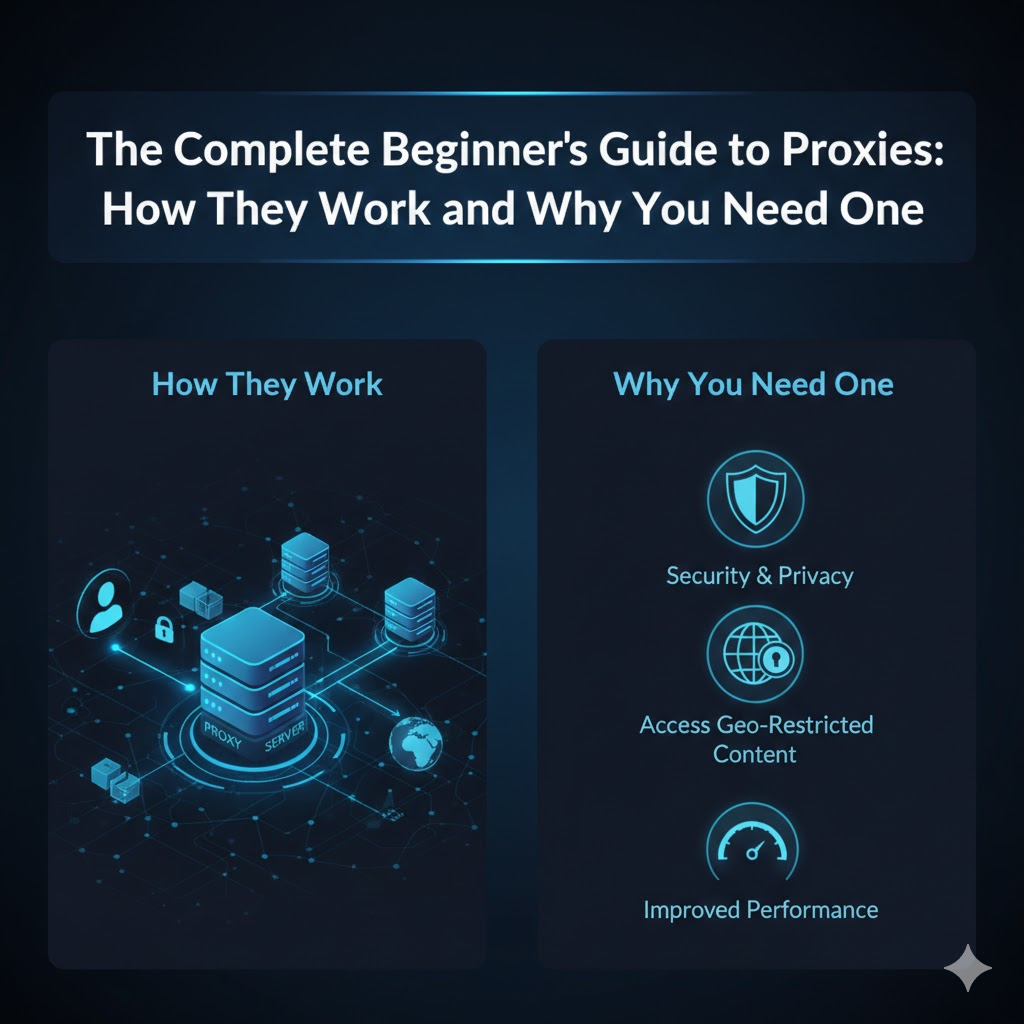
Imagine browsing the web without borders or trackers shadowing your every move. Proxies unlock this freedom, yet most beginners overlook their power.
In an era of data breaches and geo-blocks-as reported by cybersecurity firm Norton-proxies shield your IP address, enhance privacy, and bypass restrictions.
Discover how they work, explore types like residential and elite, weigh benefits for scraping and security, master setup, and avoid pitfalls. Ready to proxy up?
What Are Proxies?
A proxy server is a gateway machine that forwards your web requests through its IP address, hiding your real location. It acts as an intermediary between your device and the internet. This setup helps with anonymity and accessing restricted content.
Think of a proxy like a post office. You send mail through it, and the post office uses its own address on the envelope instead of yours. The recipient sees the post office details, keeping your home address private, much like how proxies mask your digital footprint.
Proxies come in several types, including HTTP proxies, HTTPS proxies, and SOCKS proxies. Each suits different needs, from basic web browsing to secure data transfer. Beginners often start with simple HTTP options for everyday tasks.
The proxy market is worth $2.5B and growing 18% yearly according to Statista 2024. Demand rises due to needs like privacy protection, web scraping, and bypassing geo-restrictions. This growth shows their role in modern online activities.
Why Proxies Matter for Beginners
Beginners use proxies to scrape data, manage social accounts, and access geo-blocked content without IP bans. A proxy server acts as an intermediary, hiding your real IP address from websites. This setup helps new users avoid detection and enjoy smoother online activities.
One key win for beginners is avoiding Instagram bans. When managing multiple accounts, platforms like Instagram flag suspicious traffic from the same IP. Proxies provide unique IPs for each account, letting you post and engage safely without triggering restrictions.
Another benefit involves Netflix abroad. Streaming services block content based on location. By connecting through a proxy with a server in your home country, you bypass these geo-restrictions and watch shows like Stranger Things from anywhere.
Finally, anonymous browsing protects your privacy during everyday tasks. Proxies mask your digital footprint, reducing risks from trackers or cyber threats. Beginners gain confidence knowing their online identity stays hidden while exploring the web.
· Use residential proxies for social media to mimic real user traffic.
· Opt for rotating proxies to switch IPs automatically and evade blocks.
· Test proxy speed for smooth streaming without buffering.
Experts recommend starting with paid proxies over free ones for better reliability and uptime. This approach ensures your beginner projects in web scraping or account management run without interruptions.
How Proxies Work: The Fundamentals
Proxies intercept browser requests, swap your IP, forward to websites, and relay responses back invisibly. This process sits between your device and the internet, using TCP/IP basics to route traffic. It enhances anonymity and helps with tasks like web scraping or bypassing geo-restrictions.
Consider a typical 4-step request flow. First, your browser sends a request to the proxy server. The proxy then forwards it to the target site with a masked IP address.
Next, the target server responds to the proxy, which relays the data back to you. This hides your real IP address, making it seem like the request comes from the proxy’s location. Tools like residential proxies or datacenter proxies handle this efficiently for privacy protection.
Understanding this flow is key for beginners. It leads into detailed mechanics like server setups and communication steps. Proxies differ from VPNs by focusing on specific traffic routing without full encryption in all cases.
The Proxy Server Basics
Proxy servers run on Linux VPS with 16GB RAM, handling 10,000 concurrent connections via NGINX reverse proxy. These setups use hardware like Intel Xeon processors and 1Gbps ports for high bandwidth. This ensures speed optimization for tasks such as data extraction or streaming services.
Server location matters. US East proxies offer lower latency for sites like Amazon.com compared to those in Europe. Choose residential proxies near your target for better performance in market research or ad verification.
Software stacks include Squid or NGINX for efficient traffic handling. They support HTTP proxy, HTTPS proxy, and SOCKS proxy protocols. Configure them as forward proxies for outbound requests or reverse proxies for load balancing.
For reliability, opt for paid proxies over free ones. They provide better proxy uptime and proxy rotation from a large proxy pool. This setup supports proxy chaining for enhanced anonymity and firewall bypass.
Client-Server Communication Flow
Browser DNS Proxy (TCP:192.168.1.100:8080) Target Response Proxy Browser (masked IP). This path uses TCP/IP for secure handshakes. It keeps your online identity hidden during web crawling or API requests.
Follow this 6-step flow with typical timings:
1. DNS resolution takes about 50ms to find the proxy or target IP.
2. TCP handshake establishes connection in around 100ms.
3. Browser sends HTTP GET request through the proxy.
4. Target server processes and responds with content.
5. Proxy relays the response back securely.
6. Browser renders the page with masked network details.
Tools like Wireshark capture this flow, showing packet details from request to render. Notice how the proxy handles session management and IP rotation. This is vital for e-commerce bots or social media automation.
Test with a proxy speed test to measure latency reduction. Residential IPs mimic real users, avoiding proxy detection. Elite proxies offer the highest anonymity for sensitive tasks like account management.
IP Address Masking Explained
Your 203.0.113.5 becomes proxy’s 198.51.100.25 in HTTP headers; websites see Texas ISP instead of your NYC Comcast. This IP address masking changes packet headers before forwarding. It provides privacy protection and helps access blocked websites.
Before masking, headers show your real IP and location. After, they display the proxy’s details, like a Texas-based residential IP. Test this on sites that show visitor info to verify the switch.
IPv6 masking adds challenges due to growing adoption. Proxies must handle both IPv4 and IPv6 for full coverage. Use rotating proxies to cycle IPs, reducing risks from anti-proxy measures.
This technique supports uses like torrenting, online gaming, or SEO tools. Transparent proxies reveal some details, while anonymous or elite proxies fully obscure them. Always check proxy legality for your needs, focusing on ethics in web scraping.
Types of Proxies
Proxies come in several types based on protocol, anonymity level, and IP source. Seven proxy types exist based on protocol, anonymity, and IP source. Selection impacts speed, cost, and detection risk.
Residential proxies hold 70% market share according to Proxyway Q1 2024 data. This taxonomy helps beginners choose the right proxy server for tasks like web scraping or bypassing geo-restrictions. Understanding these categories improves privacy protection and performance.
For example, use datacenter proxies for fast testing and residential proxies for production data extraction. Experts recommend matching proxy type to your needs, such as SEO tools or market research. This guide breaks down key differences below.
Common uses include accessing blocked websites, streaming services, and account management. Always consider proxy rotation to avoid bans during web crawling or e-commerce bots.
HTTP vs HTTPS Proxies
HTTP proxies handle port 80 unencrypted traffic. HTTPS proxies terminate SSL/TLS on port 443 for secure sites. This protocol choice affects compatibility with modern websites.
HTTP works for basic web scraping on non-secure pages, while HTTPS supports encrypted connections for banking or shopping sites. Beginners often start with HTTPS for broader proxy reliability. Protocol impacts how proxies route traffic and handle API requests.
For instance, configure an HTTP proxy in browser settings for quick tests on price comparison sites. Switch to HTTPS for ad verification to avoid errors. Research suggests HTTPS proxies offer better success on secure platforms.
Pair with proxy software or browser extensions for easy setup. This comparison guides proxy configuration for tasks like captcha solving or social media automation.
Transparent vs Anonymous vs Elite Proxies
Transparent sends X-Forwarded-For: yourIP. Anonymous hides it. Elite removes all identifying headers completely. Anonymity level determines detection risk and privacy.
Transparent proxies reveal your IP address to sites, suiting internal networks. Anonymous masks the origin but signals proxy use. Elite provides highest anonymity for sensitive tasks like multi-accounting.
| Type | Headers | Detection Risk | Cost/GB | Example IP Header |
| Transparent | Full (X-Forwarded-For: yourIP) | High | Low | X-Forwarded-For: 192.168.1.1 |
| Anonymous | Partial (no yourIP) | Medium | Medium | Via: proxy.example.com |
| Elite | None | Low | High | – |
Use elite for bypassing geo-restrictions on streaming or torrenting. Transparent suits employee monitoring. Test with proxy speed test tools for best fit.
Datacenter vs Residential Proxies
Datacenter proxies offer 99.99% uptime at $1/GB with 90% ban rate. Residential use real Comcast IPs at $7/GB with 3% ban rate. Source affects legitimacy and speed.
Datacenter excel in speed optimization at 50ms latency for testing and SEO tools. Residential mimic home users for web scraping in production, reducing blocks. Choose based on proxy pool size and rotation.
Datacenter: Fast for load balancing, online gaming proxies. Residential: Ideal for e-commerce bots, price comparison. Providers: Bright Data, Oxylabs, Smartproxy, IPRoyal.
· Datacenter: Fast for load balancing, online gaming proxies.
· Residential: Ideal for e-commerce bots, price comparison.
· Providers: Bright Data, Oxylabs, Smartproxy, IPRoyal.
For censorship circumvention, residential IPs blend in better. Datacenter suit high-bandwidth tasks like content delivery. Configure via proxy apps for mobile or desktop use.
Why You Need a Proxy: Key Benefits
Proxies solve anonymity, access, and security problems that plague direct internet connections. They act as intermediaries, masking your IP address and routing traffic through remote servers. This beginner’s guide explains how proxies work to deliver real value.
Four key pillars stand out: privacy protection, bypassing geo-restrictions, security enhancements, and access to blocked content. Users save hours on manual research and avoid high fees for geo-locked SaaS tools. Proxies offer a strong return on investment for everyday tasks like web scraping or streaming.
Whether you need residential proxies for anonymity or datacenter proxies for speed, these tools fit various needs. Experts recommend starting with paid proxies over free ones for better reliability and uptime. This section breaks down the benefits with practical examples.
From proxy rotation to manage sessions to server location choices for low latency, proxies optimize your online experience. They support activities like market research, ad verification, and SEO tools without exposing your digital footprint.
Privacy and Anonymity
Residential proxies paired with browser fingerprinting blockers cut down tracking risks significantly. Tools like uBlock Origin combined with elite proxies hide your real IP and block common trackers. This setup protects against data collection by websites and advertisers.
A real threat emerged when an ISP sold browsing data to advertisers in a notable 2017 incident. Such events highlight why anonymous proxies matter for everyday users. They prevent your online identity from being linked to specific activities.
For beginners, start with proxy software or browser extensions that enable easy proxy setup. Rotate IPs frequently using a proxy pool to avoid detection. This approach enhances privacy during web crawling or social media automation.
Paid proxies outperform free proxies in proxy reliability and speed tests. They reduce your digital footprint across devices, including mobile proxies for apps. Always test proxy uptime before heavy use in account management or data extraction.
Bypassing Geo-Restrictions
A Dutch proxy unlocks BBC iPlayer, a UK-only service, with high reliability compared to VPN detection issues. Proxies excel at bypassing geo-restrictions by assigning IPs from target regions. This makes them ideal for streaming services and international content.
Common examples include Netflix libraries, sports streams, and regional banking sites. Users access different versions of platforms without travel. Rotating proxies maintain sessions during long streams or price comparison tasks.
Choose providers with servers in needed locations, like NL proxies for European content. Residential IPs mimic real users better than datacenter ones, evading anti-proxy measures. Test with a proxy speed test for smooth playback.
Proxies support torrenting, online gaming, and e-commerce bots too. They offer advantages over VPNs in speed optimization and traffic routing. For best results, use HTTPS or SOCKS proxies depending on the service.
Security Enhancements
Proxies block direct attacks since malware cannot reach your real IP, even if the proxy gets compromised. They add a layer of security enhancement by masking your origin in network traffic. This protects against common cyber threats like DDoS floods.
Corporate setups have used proxies to stop phishing attempts effectively. Such cases show how forward proxies filter outbound traffic and prevent risks. Employees benefit from safer browsing in monitored environments.
Use proxy chaining or SSL proxies for encrypted tunneling against interception. Pair with firewall evasion tools for robust defense. Proxies aid in malware protection and phishing prevention during API requests or web scraping.
For beginners, configure proxies via proxy apps or extensions with authentication methods. Monitor proxy performance for low latency. This setup secures online gaming, parental controls, and employee monitoring without slowdowns.
Access Blocked Content
Iranian users reach Twitter through Turkey proxies, dodging state firewalls on social platforms. Proxies enable access to blocked websites in restrictive scenarios like schools, offices, or censored countries. Tools like Psiphon combined with proxies amplify this capability.
Schools often block YouTube, offices restrict Facebook, and some nations limit Google services. Censorship circumvention becomes straightforward with the right server location. Residential proxies blend in, avoiding proxy detection.
Set up proxy rotation for sustained access during extended sessions. Use mobile proxies for on-the-go needs or commercial proxies for heavy loads. This works well for captcha solving and multi-accounting.
Experts recommend testing proxy benchmarks for uptime and speed. Integrate with proxy tutorials for troubleshooting common issues. Proxies prove ethical and legal for legitimate content access, outperforming free options in reliability.
Common Use Cases for Proxies
Businesses deploy proxies for data extraction, multi-account management, and competitive intelligence at scale. Professional applications span enterprises needing privacy protection and access to blocked content. Enterprise scraping represents a $1.2B market according to Gartner 2024.
Teams use rotating proxies to avoid IP bans during heavy web scraping tasks. This setup ensures smooth data flow for market research and price monitoring. Proxies enhance anonymity while scaling operations without detection.
In social media and e-commerce, residential proxies mimic real user behavior across regions. Agencies rely on them for multi-accounting and ad verification. This approach supports geo-restriction bypassing for global insights.
Proxy providers offer tools like proxy pools for reliable performance. Beginners can start with paid services for better uptime and speed. These use cases show why proxies matter in modern digital workflows.
Web Scraping and Data Collection
Scrapy + Bright Data rotating proxies extracts 100k product prices per hour, rotating IPs every 10 requests. This method prevents blocks from target sites during intensive data extraction. Beginners benefit from proxy rotation to maintain steady access.
Popular tools include Bright Data, Oxylabs, and ZenRows for reliable web scraping.
| Tool | Key Feature | Best For |
| Bright Data | Large proxy pool | High-volume scraping |
| Oxylabs | Geo-targeting | Regional data |
| ZenRows | Built-in rotation | Quick setup |
Integrate Python’s scrapy rotate_proxy middleware for automatic IP switches. This delivers 99.9% uptime in practice. Test proxy speed before large jobs to optimize bandwidth.
Focus on HTTPS proxies for secure sessions and residential IPs to evade anti-bot measures. Combine with captcha solvers for uninterrupted crawls. These steps make scraping ethical and efficient.
Social Media Management
Manage 100 TikTok accounts across 25 countries using residential IPs + Jarvee automation software. Platforms enforce strict IP limits per account to curb spam. Proxies enable safe multi-accounting without suspensions.
Tools like Multilogin paired with proxies cost around $99 per month. This combo creates isolated browser profiles for each account. Agencies scale from 10 to 250 accounts, seeing strong revenue growth.
Use SOCKS5 proxies for versatile traffic routing in automation. Rotate IPs frequently to mimic organic user patterns. This protects your digital footprint during posting and engagement tasks.
Set up proxy chaining for added anonymity in high-risk scenarios. Monitor session management to avoid overlaps. Residential proxies excel here over datacenter ones for authenticity.
Market Research and Competitor Analysis
Track 10k competitor prices weekly across EU/US using Oxylabs geo-proxies + Price2Spy software. This workflow gathers real-time data without IP blocks. Proxies ensure access to region-locked content.
Typical process: Proxy SERP scraper Google Sheets for analysis. Tools in the $50-200 monthly range fit most budgets. This setup improves margins through informed pricing strategies.
Opt for rotating residential proxies to handle frequent requests. Pair with SEO tools for keyword and ad verification insights. Geo-targeting simulates local users for accurate market research.
Conduct proxy benchmarks on latency and speed for best results. Avoid free proxies due to reliability issues. Ethical use focuses on public data, respecting site terms.
Proxy Setup for Beginners
A 15-minute setup using browser extensions and reliable providers gets beginners proxy-ready instantly. This beginner’s guide simplifies proxy configuration for privacy protection, web scraping, or bypassing geo-restrictions.
Follow this 3-step roadmap: First, select a trusted proxy provider with residential proxies and high uptime. Next, install a browser extension like Proxy SwitchyOmega for quick toggling. Finally, test your setup on sites like whatismyipaddress.com to confirm IP rotation and anonymity.
Paid proxies outperform free proxies in speed and reliability, reducing risks from cyber threats like malware. Beginners gain network masking for account management or streaming services without hassle.
Master these steps to handle proxy rotation, session management, and server location choices. Your digital footprint shrinks as you access blocked websites securely.
Finding Reliable Proxy Providers
Bright Data leads with millions of IPs across many countries, high uptime, and $8.40/GB residential pricing. It suits web scraping, data extraction, and market research needs. Experts recommend it for proxy reliability in demanding tasks.
Oxylabs offers strong options for SEO tools and ad verification. Smartproxy excels in rotating proxies for price comparison and e-commerce bots. Compare providers using the table below to match your bandwidth and speed optimization goals.
| Provider | IPs | Countries | Uptime | Price | Trial | Support |
| Bright Data | 72M | 195 | 99.99% | $8.40/GB | Yes | 24/7 |
| Oxylabs | 100M+ | 195+ | 99.9% | $10/GB | Yes | Live Chat |
| Smartproxy | 40M | 195 | 99.99% | $7/GB | Yes | Email/Ticket |
| Proxy-Seller | Millions | 190+ | 99.9% | $1.99/Proxy | No | 24/7 |
| IPRoyal | 32M | 195 | 99.9% | $1.75/GB | Yes | Live Chat |
| NetNut | 52M | 150+ | 99.99% | $7.50/GB | Yes | 24/7 |
Focus on proxy uptime and trial options for testing proxy speed. Residential proxies evade detection better than datacenter proxies for social media automation.
Configuring Proxies in Browsers
Chrome: Install FoxyProxy Standard ($10/yr), import proxy list, toggle countries with 1-click. This sets up HTTP proxy or SOCKS proxy for anonymity. Firefox users follow similar steps with Proxy SwitchyOmega, free and versatile.
7. Install the extension from the Chrome Web Store or Firefox Add-ons.
8. Add your proxy details: IP address, port, and authentication methods.
9. Enable proxy chaining or rotation for session management.
10. Switch profiles to test different server locations.
11. Verify on whatismyipaddress.com for IP changes and latency reduction.
Use HTTPS proxy for secure traffic routing in browsing. This configuration aids firewall bypass and censorship circumvention.
Troubleshoot proxy detection with elite proxies. Browser extensions simplify proxy setup compared to VPN vs proxy choices for quick privacy protection.
Proxy Setup for Popular Tools
Scrapy settings.py: ‘ROTATING_PROXY_LIST = [“proxy1:8080 “proxy2:8080”]’ rotates every request automatically. This handles web crawling and data extraction efficiently. Add it to middleware for proxy pool integration.
For Selenium webdriver, use options.add_argument(‘–proxy-server=http://proxy:port’). Puppeteer sets launch({args: [‘–proxy-server=proxy:port’]}) for headless browsing. Both support IP rotation to avoid bans in scraping.
cURL command: curl -x http://proxy:port https://example.com tests outbound proxy quickly. Combine with authentication for paid proxies in API requests.
· Scrapy: Enable in settings.py for automatic rotation.
· Selenium: Pass proxy to Chrome options object.
· Puppeteer: Configure in browser launch args.
· cURL: Use -x flag for single requests.
These setups enhance proxy performance for captcha solving and load balancing. Residential IPs reduce anti-proxy measures in tools like these.
Risks and Best Practices
Avoid proxy pitfalls through vetted providers, legal compliance, and security best practices. Proxies enhance privacy protection and help with tasks like web scraping or bypassing geo-restrictions, but they carry risks such as data theft and IP leaks. This section outlines common dangers and practical solutions to ensure safe proxy use.
Free proxies often expose users to cyber threats, while poor choices can lead to bans or slow speeds. Paid proxies from ethical sources offer better proxy reliability and uptime. Always test configurations for optimal performance.
Understanding proxy security pitfalls, selecting ethical providers, and knowing legal boundaries keeps your online activities secure. Follow these best practices to maximize proxy advantages while minimizing disadvantages.
Proxy Security Pitfalls
Free proxies pose serious risks, with experts warning about widespread credential theft. Choose paid proxies from reputable providers to protect your data during activities like web scraping or accessing blocked websites.
Common pitfalls include data theft, IP leaks, slow speeds, and bans. Use SOCKS5 proxies to prevent IP leaks, as they handle various protocols securely for tasks like torrenting or online gaming.
· Data theft: Stick to paid providers with encryption to safeguard login details.
· IP leaks: Opt for SOCKS5 or HTTPS proxies to mask your real IP address effectively.
· Slow speeds: Test bandwidth with proxy speed tests before committing, ensuring smooth streaming or data extraction.
· Bans: Employ rotating residential proxies to avoid detection during SEO tools use or market research.
· Malware exposure: Avoid free proxies; they often harbor threats that compromise anonymity.
Regularly check for proxy detection with tools and rotate IPs via proxy pools. This maintains session management and reduces latency for reliable proxy performance.
Choosing Ethical Providers
Ethical providers use opt-in residential IPs only and steer clear of questionable sources. Look for transparency in their sourcing to ensure your proxy use supports privacy without ethical concerns.
Spot red flags like too-cheap residential proxies, missing privacy policies, or hints of botnet sourcing. These often lead to unreliable connections and legal risks in proxy chaining or multi-accounting.
· Red flags: Prices under market rates for residential IPs, no clear privacy policy, vague IP origin details.
· Green flags: GDPR compliance, detailed sourcing info, no-log policies for true anonymity.
· Transparent uptime stats and support for proxy rotation.
Green flags include providers offering server location choices and speed optimization. Test with proxy benchmarks for bandwidth and latency reduction before scaling to tasks like ad verification or price comparison.
Legal Considerations
Proxy use is legal for personal privacy and research, but illegal for fraud or hacking. Stick to legitimate purposes like bypassing geo-restrictions or data extraction to stay compliant.
Activities such as carding or spam violate laws like the CFAA in the US, which carries severe penalties. Always research local regulations before proxy setup for web crawling or API requests.
· Legal uses: Testing websites, market research, accessing streaming services legally.
· Illegal uses: Fraud, spam campaigns, unauthorized account management.
· GDPR requires proxies to handle data ethically in Europe.
Use proxies responsibly for security enhancement or firewall bypass without crossing into cyber threats. Consult legal experts for complex scenarios like social media automation or e-commerce bots to ensure proxy legality.
Getting Started: Next Steps
Start free to test proxies, then upgrade to paid proxies for production use with proper connection verification. This action plan helps beginners grasp how proxies work without upfront costs. Begin by selecting a free proxy from reliable lists for basic tasks like bypassing geo-restrictions.
Set up your proxy configuration in browser settings or proxy software. Test anonymity and speed right away to ensure it masks your IP address effectively. Move to paid options once you confirm needs for web scraping or privacy protection.
Choose providers offering residential proxies or datacenter proxies based on use cases such as streaming services or data extraction. Verify server location and proxy rotation features for sustained performance. Track your digital footprint during tests to build confidence in proxy setup.
Common next steps include integrating SOCKS proxy for torrenting or HTTPS proxy for secure browsing. Troubleshoot issues like proxy detection with rotation tools. This beginner’s guide approach ensures smooth transition to advanced uses like multi-accounting.
Free vs Paid Proxies
Free proxies often prove 95% unreliable with about a one-hour lifespan, while paid proxies deliver 99.9% uptime, access to over one million IPs, and pricing from $1 to $10 per GB. Free options suit quick tests but falter in proxy reliability for ongoing tasks. Paid services excel in proxy uptime and speed optimization.
| Feature | Free Proxies | Paid Proxies |
| Uptime | Low and inconsistent | High, near 100% |
| Speed | Slow with high latency | Fast, optimized bandwidth |
| IPs | Limited, often blacklisted | Vast proxy pool, rotating |
| Security | Basic, prone to leaks | Advanced anonymity, elite proxies |
| Cost | $0, but time loss | Minimum $20/mo |
Sources for free proxies include lists like ProxyNova, but test carefully for malware protection risks. Paid proxies from reputable providers support proxy chaining and authentication methods. Use paid for web crawling or ad verification to avoid disruptions.
Experts recommend paid for residential IPs in market research, as free ones face frequent anti-proxy measures. Consider proxy ethics and legality in your setup. This comparison highlights why upgrade for serious proxy uses like SEO tools.
Testing Your Proxy Connection
Test via proxy-checker.net for response time under 300ms, elite anonymity levels, and no leaks before full use. This verifies your proxy server hides your real IP effectively. Run checks after proxy setup to confirm privacy protection.
Follow these five essential tests in order. Each step ensures proxy performance for tasks like accessing blocked websites.
12. Check IP change with whatismyip to see your new IP address.
13. Measure speed using speedtest.net for latency reduction.
14. Verify anonymity on iplocation for no personal data exposure.
15. Test HTTPS support with browserleaks to prevent cyber threats.
16. Confirm no leaks via dnsleaktest.com for complete network masking.
Repeat tests during session management or IP rotation to catch issues early. Use proxy software or browser extensions for easy monitoring. Troubleshoot failures by switching to rotating proxies or different server locations.
For mobile proxy or SOCKS setups, include UDP proxy tests if needed for gaming. Document results to compare datacenter proxies versus residential. This process builds skills in proxy troubleshooting for long-term success.
Frequently Asked Questions
What is ‘The Complete Beginner’s Guide to Proxies: How They Work and Why You Need One’ all about?
‘The Complete Beginner’s Guide to Proxies: How They Work and Why You Need One’ is an introductory resource designed for newcomers, explaining proxy servers in simple terms, their mechanics, types, and essential benefits for online privacy, security, and access.
How do proxies work according to ‘The Complete Beginner’s Guide to Proxies: How They Work and Why You Need One’?
In ‘The Complete Beginner’s Guide to Proxies: How They Work and Why You Need One’, proxies act as intermediaries between your device and the internet, routing your traffic through their server to mask your IP address, filter content, and enable anonymous browsing.
Why do I need a proxy as explained in ‘The Complete Beginner’s Guide to Proxies: How They Work and Why You Need One’?
‘The Complete Beginner’s Guide to Proxies: How They Work and Why You Need One’ highlights that you need a proxy for enhanced privacy, bypassing geo-restrictions, avoiding tracking, improving security on public Wi-Fi, and accessing blocked websites efficiently.
What are the different types of proxies covered in ‘The Complete Beginner’s Guide to Proxies: How They Work and Why You Need One’?
‘The Complete Beginner’s Guide to Proxies: How They Work and Why You Need One’ covers HTTP proxies for web browsing, HTTPS/SOCKS proxies for secure connections, residential proxies for authenticity, datacenter proxies for speed, and transparent vs. anonymous proxies based on IP visibility.
Are proxies safe to use, per ‘The Complete Beginner’s Guide to Proxies: How They Work and Why You Need One’?
Yes, ‘The Complete Beginner’s Guide to Proxies: How They Work and Why You Need One’ states that reputable paid proxies from trusted providers are safe, offering encryption and no-logs policies, but free proxies can pose risks like data theft or malware.
How do I get started with proxies after reading ‘The Complete Beginner’s Guide to Proxies: How They Work and Why You Need One’?
‘The Complete Beginner’s Guide to Proxies: How They Work and Why You Need One’ recommends choosing a reliable provider, selecting the right proxy type, configuring it in your browser or app settings, testing the connection, and monitoring for speed and reliability.