 dev
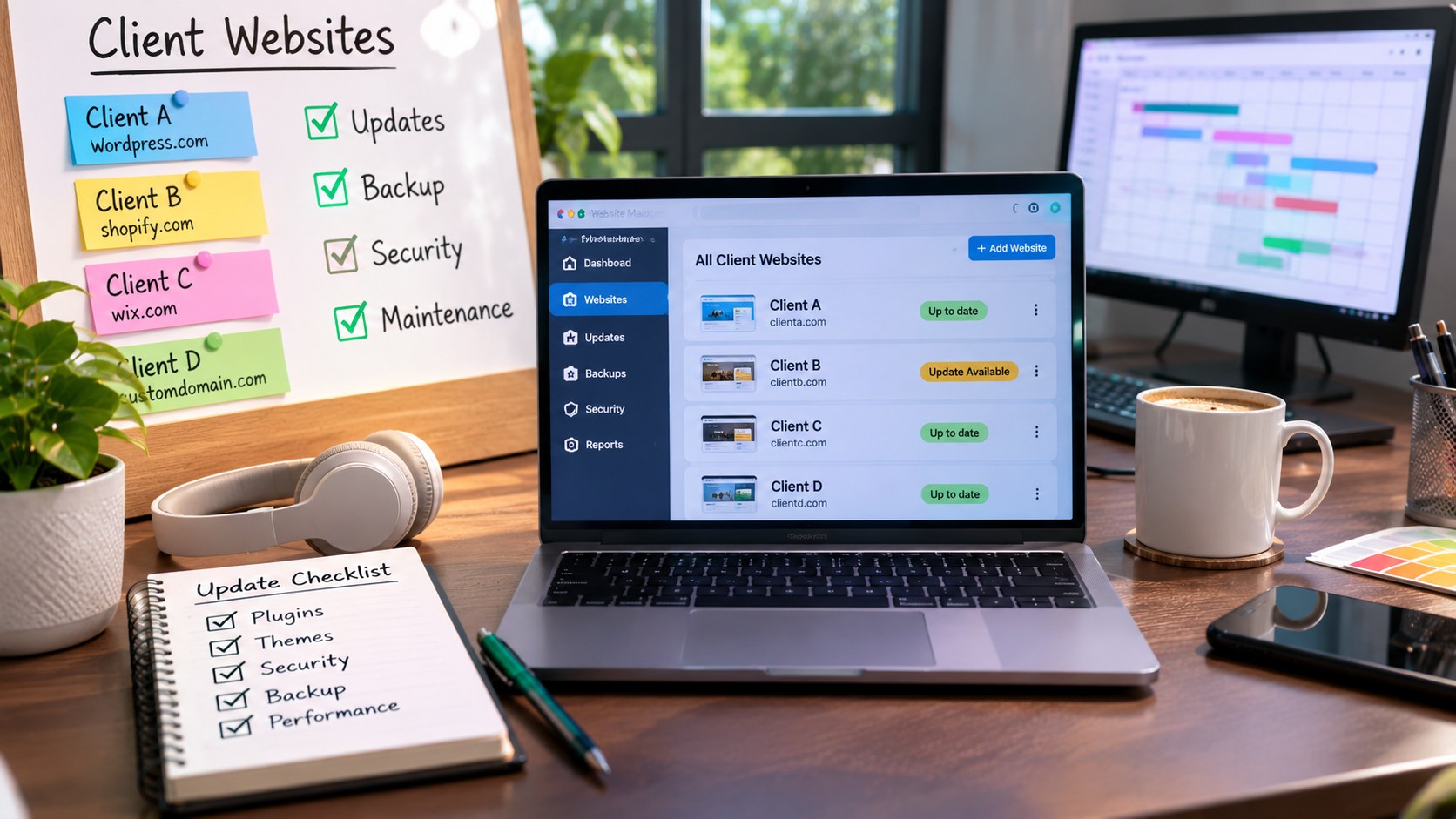
Managing one website can involve several responsibilities, including updating content, fixing technical issues, monitoring performance, maintaining plugins, and checking website functionality. Now imagine handling ten or twenty websites for different clients, each with its own hosting account, design, applications, and maintenance schedule.
Without a proper management system, even experienced developers and website administrators can struggle to keep everything organised.
A missed plugin update, expired domain, broken contact form, or forgotten backup can affect a client’s website and create unnecessary maintenance problems.
Managing multiple client websites successfully requires more than technical knowledge. It involves building a repeatable workflow, tracking changes, organising access credentials, monitoring website health, and maintaining clear communication.
Whether you are a freelance developer, web development agency, website administrator, or technical support professional, having a structured approach can make website management considerably easier.
This guide explains how to manage multiple client websites efficiently, prevent missed updates, organise maintenance activities, and create a reliable system for long term website management.
1. Start With a Central Website Inventory
The first challenge in managing multiple websites is remembering what belongs to each client.
One client may use WordPress with several plugins, while another may have a custom developed website hosted on a VPS. Some websites may require frequent content updates, while others need only occasional technical maintenance.
Keeping these details in separate notes or browser bookmarks can become difficult as your client portfolio grows.
Create a central website inventory that records the essential information for every project.
Your inventory should include:
| Information | Details to Record |
|---|---|
| Client name | Business or individual managing the website |
| Website domain | Primary website address |
| CMS or framework | WordPress, Laravel, React, custom PHP, etc. |
| Hosting provider | Hosting company or server environment |
| Domain expiry | Renewal date |
| SSL certificate | Validity and renewal information |
| Backup schedule | Frequency of website backups |
| Maintenance status | Current website condition |
| Last update | Date of the most recent maintenance |
| Next review | Scheduled maintenance date |
A spreadsheet, project management platform, or internal dashboard can work well for this purpose.
The important thing is to maintain one reliable source of information rather than storing website details across multiple disconnected documents.
2. Build a Separate Maintenance Schedule for Every Website
Not every website requires the same maintenance frequency.
An online store with regular orders may need more frequent checks than a simple company profile website. A website with several third party integrations may also require additional monitoring.
Creating one maintenance schedule for every client can help prevent important tasks from being overlooked.
Divide maintenance activities into suitable time periods.
Daily or Frequent Checks
Depending on website importance, monitor:
- Website availability.
- Critical error notifications.
- Security alerts.
- Online store functionality.
- Important customer facing forms.
Weekly Maintenance
Schedule activities such as:
- Reviewing available CMS updates.
- Checking plugin and theme updates.
- Reviewing backup completion.
- Testing important website functions.
- Checking unusual website activity.
Monthly Maintenance
Include:
- Reviewing website performance.
- Checking domain and SSL expiry dates.
- Removing unnecessary plugins or applications.
- Reviewing administrator accounts.
- Testing backup restoration.
- Checking broken pages and important links.
- Reviewing hosting resource consumption.
A maintenance calendar helps transform these activities into predictable tasks instead of last minute emergency work.
3. Use a Website Management Dashboard
When several websites are involved, switching between hosting accounts, administration panels, and monitoring services can consume valuable time.
A central management dashboard can provide a clearer overview of the entire website portfolio.
Depending on your technical setup, you can use a website management platform or build an internal dashboard.
Popular website management options include MainWP, ManageWP, InfiniteWP, and other suitable management systems.
A useful dashboard may display:
- Connected websites.
- CMS versions.
- Available updates.
- Website availability.
- Backup status.
- Security notifications.
- Maintenance history.
For example, a WordPress agency managing fifteen client websites can use a central management platform to review update notifications without opening every website separately.
However, centralised management also introduces security considerations. Protect the dashboard with strong authentication and restrict access to authorised team members.
4. Create a Standard Website Update Procedure
One of the most common website management mistakes is updating software without following a consistent process.
A plugin update may introduce compatibility issues. A theme update may affect page layouts. A framework upgrade may change how existing functions behave.
Instead of updating every website immediately without checking its condition, establish a standard procedure.
Follow This Update Workflow
Step 1: Review available updates
Check which CMS, plugins, themes, libraries, or server components need attention.
Step 2: Review compatibility
Read the available update information and check whether the changes may affect existing website functionality.
Step 3: Create a backup
Take a fresh backup of the website files and database before applying important updates.
Step 4: Test in a staging environment
For important websites, apply updates in a staging environment before changing the live website.
Step 5: Apply the update
Proceed with the update after reviewing compatibility and backup availability.
Step 6: Test important functions
Check the homepage, navigation, forms, login pages, checkout process, and other essential features.
Step 7: Record the maintenance activity
Document what was updated, when it happened, and whether any issues were discovered.
This procedure makes maintenance more consistent and helps developers identify the cause of problems when something goes wrong.
5. Organise Client Access and Login Credentials Securely
Managing multiple websites often means working with different hosting accounts, domain registrars, CMS dashboards, databases, and third party services.
Storing all these credentials in browser notes or unprotected spreadsheets creates unnecessary security risks.
Use a dedicated password management system to organise sensitive access information.
Password managers such as Bitwarden and 1Password can help store credentials in protected vaults.
For each client, maintain a clear record of:
- Hosting account access.
- CMS administrator access.
- Domain registrar access.
- Database credentials where required.
- DNS management access.
- Third party integrations.
- Recovery and authentication details.
Follow the principle of least privilege. Give team members only the permissions necessary for their responsibilities.
Whenever possible, create individual accounts instead of sharing a single administrator login.
Enable multifactor authentication for important accounts and review access whenever a team member leaves a project.
Client credentials should never be shared through unsecured messages or public documents.
6. Monitor Website Uptime and Performance
A website may appear to work normally during a scheduled maintenance check but experience downtime later.
For businesses that depend on online enquiries, bookings, or sales, even a short interruption can affect customer experience.
Website uptime monitoring tools can automatically check whether websites are responding.
Popular services include UptimeRobot, Better Stack, and StatusCake.
Depending on the platform, monitoring may include:
- Website availability.
- Response time.
- SSL certificate status.
- Server availability.
- Endpoint monitoring.
- Alert notifications.
For example, an agency managing several business websites can configure monitoring alerts to notify its technical team when a website becomes unavailable.
Performance monitoring is equally important.
Track page loading behaviour, server response times, resource usage, and major performance changes.
If a website suddenly becomes slower, investigate possible causes such as increased traffic, large media files, inefficient plugins, database issues, or server resource limitations.
7. Maintain a Reliable Backup and Recovery System
A website backup is one of the most important parts of client website management.
Website files and databases can become corrupted due to failed updates, server problems, accidental deletion, malware, or configuration errors.
Without a reliable backup, recovering a website may require significant time and effort.
Create a backup policy based on the importance and update frequency of each website.
For example:
| Website Type | Suggested Backup Approach |
|---|---|
| Company website | Regular scheduled backups |
| Content publishing website | Frequent database and file backups |
| Online store | Frequent backups based on transaction activity |
| Development website | Backups before major code changes |
| Client portal | Backup schedule based on data sensitivity |
Store backups separately from the main website environment whenever possible.
Also maintain records of backup dates and test the restoration process periodically.
A backup should not be considered reliable until you know that it can actually restore the website.
8. Track Website Changes and Development Tasks
When multiple developers work on different client websites, it becomes important to understand what was changed and why.
Without proper documentation, teams may accidentally overwrite changes, repeat completed tasks, or struggle to identify the source of an error.
Use a task management system to record website related activities.
For development work, version control systems such as Git can help track code changes and maintain a history of development.
Useful records include:
- New features added.
- Bug fixes.
- Plugin or framework updates.
- Design changes.
- Database modifications.
- Server configuration changes.
- Completed maintenance tasks.
For example, if a client reports that a contact form stopped working after a website update, the maintenance history can help identify the recent changes.
For custom development projects, maintain separate repositories or clearly organised project environments for each client.
Never mix client code, credentials, or confidential project information.
9. Automate Repetitive Website Management Tasks
Many website management activities follow predictable patterns.
Examples include sending maintenance reminders, generating update reports, creating tasks, and notifying team members when monitoring alerts are triggered.
Automation can reduce repetitive administrative work and help teams respond more consistently.
Tools such as Zapier, Make, and n8n can connect different applications and automate selected workflows.
Consider these examples:
Maintenance reminders: Automatically create a task when a website reaches its scheduled maintenance date.
Monitoring alerts: Send notifications to a team communication channel when a website becomes unavailable.
Client reporting: Collect selected website maintenance information into a periodic report.
Task creation: Create a support ticket when a monitoring system identifies a technical problem.
Domain renewal alerts: Send reminders before important domain expiry dates.
Automation should be tested before being used across all client websites. Incorrect automation rules can create duplicate tasks, unnecessary notifications, or unwanted changes.
Start with simple workflows and expand only when they provide practical value.
10. Keep Client Communication Clear and Consistent
Technical maintenance is only one part of managing client websites. Communication is equally important.
Clients may not understand technical terms such as PHP compatibility, DNS propagation, server configuration, or database optimisation.
Instead of sending complicated technical updates, explain what happened, why it matters, and what action was taken.
A useful maintenance report should include:
- Website name.
- Maintenance date.
- Updates completed.
- Security checks performed.
- Backup status.
- Issues discovered.
- Pending tasks.
- Recommendations.
For example, rather than writing that several plugins were updated, explain that the website’s installed components were reviewed and updated to improve compatibility and maintain software security.
If a problem requires additional work, communicate the issue and expected next steps before proceeding with changes outside the agreed maintenance scope.
Consistent communication helps clients understand the value of website maintenance and reduces confusion.
11. Create a Website Issue Prioritisation System
Not every website problem needs immediate attention.
A broken checkout process on an online store is more urgent than a minor spacing issue on an informational page.
When managing multiple clients, prioritising issues helps teams use their time effectively.
A simple classification system can be useful.
| Priority | Example | Recommended Response |
|---|---|---|
| Critical | Website unavailable or suspected security breach | Immediate investigation |
| High | Checkout, login, or major form failure | Urgent resolution |
| Medium | Broken page or important feature issue | Scheduled prompt attention |
| Low | Minor layout or content issue | Planned maintenance |
Define response expectations with clients so that everyone understands how urgent issues will be handled.
Also distinguish between technical emergencies and routine change requests.
A client requesting a new design section should not automatically interrupt work on a website experiencing a critical security incident.
12. Protect Client Websites From Unnecessary Technical Risks
Managing several websites can increase the impact of a single security mistake.
For example, using the same administrator password across multiple websites can expose several client projects if one account is compromised.
Likewise, connecting multiple websites through an unsecured management system can create additional risks.
Follow these security practices:
- Use unique credentials for every client.
- Enable multifactor authentication.
- Keep management software updated.
- Limit administrator permissions.
- Separate development and production environments.
- Restrict unnecessary server access.
- Review third party integrations.
- Maintain independent backups.
- Remove access that is no longer required.
For larger projects, consider separate hosting environments or appropriately isolated accounts based on the client’s security requirements.
Avoid giving every developer unrestricted access to all client infrastructure.
13. Build a Repeatable Website Maintenance Checklist
A standard checklist helps ensure that essential activities are completed across every client website.
Instead of relying on memory, use a consistent procedure that can be followed by different team members.
Website Maintenance Checklist
Technical health
- Confirm website availability.
- Review server response and performance.
- Check for broken pages.
- Test important forms and functions.
Software maintenance
- Review CMS updates.
- Check plugin and theme versions.
- Remove unused components.
- Review framework dependencies.
Security
- Check administrator accounts.
- Review security notifications.
- Verify HTTPS configuration.
- Scan for suspicious activity.
Backup and recovery
- Confirm recent backup completion.
- Check backup storage.
- Review recovery procedures.
Client communication
- Update maintenance records.
- Report completed tasks.
- Document unresolved issues.
- Schedule the next review.
This checklist can be customised for different website types and service agreements.
14. How to Scale Website Management as Your Client Base Grows
A website management process that works for three clients may become difficult when the portfolio grows to thirty or fifty websites.
At that stage, relying entirely on manual work can create operational problems.
Scaling requires better organisation, clear responsibilities, and suitable management tools.
Consider these improvements:
Create maintenance packages: Define what is included in routine maintenance and what requires additional work.
Assign responsibilities: Give team members clear ownership of specific websites or technical tasks.
Standardise procedures: Use the same documentation, reporting, backup, and update processes across suitable projects.
Use centralised monitoring: Review important website alerts through a common dashboard.
Automate routine activities: Reduce repetitive administrative work through tested automation.
Review workload regularly: Check whether the team has enough time and resources to maintain every website properly.
Growth should not come at the expense of website quality. It is better to maintain a manageable client portfolio with consistent service than to accept more projects than the team can support.
Conclusion
Managing multiple client websites requires a combination of technical maintenance, organisation, security, monitoring, and communication.
A central website inventory helps keep important information accessible. A structured maintenance calendar ensures that updates are not forgotten. Monitoring tools help identify website problems, while backups and version control support recovery and development management.
Most importantly, every client website should have a clear maintenance history and defined responsibilities.
You do not need an expensive collection of software to build an effective website management system. Start with a reliable inventory, a maintenance checklist, secure credential management, and a consistent update process.
As your client portfolio grows, introduce centralised dashboards and automation where they genuinely save time.
With the right workflow, managing multiple websites becomes more predictable, organised, and easier to scale.
Frequently Asked Questions
1. What is the best way to manage multiple client websites?
Use a central website inventory, maintenance calendar, password manager, backup system, and monitoring platform. These tools help organise website information and prevent important maintenance activities from being missed.
2. Can I manage multiple WordPress websites from one dashboard?
Yes. Website management platforms such as MainWP, ManageWP, and InfiniteWP provide centralised management features for multiple WordPress installations. Available functionality depends on the platform and plan.
3. How often should client websites be updated?
Review available updates regularly. Apply important security updates promptly after appropriate checks, and schedule routine maintenance based on website complexity and business requirements.
4. How do web agencies track maintenance work?
Agencies commonly use project management platforms, maintenance dashboards, task lists, and service reports. These systems help track completed work, pending updates, and recurring responsibilities.
5. What is the safest way to store client website passwords?
Use a reputable password manager with encrypted storage, individual access permissions, and multifactor authentication support. Avoid storing credentials in plain text documents or unsecured spreadsheets.
6. Why is website monitoring important when managing several clients?
Monitoring helps identify downtime, response problems, and other technical issues without requiring manual checks throughout the day. It also allows teams to respond more quickly when a website becomes unavailable.
7. Should every client website have a separate backup?
Every website should have its own identifiable backup and recovery process. Keeping client backups organised separately makes it easier to restore the correct website when needed.
8. Can website maintenance tasks be automated?
Yes. Monitoring notifications, maintenance reminders, task creation, and selected reporting activities can be automated. However, important updates and security changes should include appropriate human review.
9. What should a monthly website maintenance report include?
A report should cover software updates, backup status, security checks, website performance, issues discovered, completed work, and recommended next steps.
10. How do I prioritise issues across multiple client websites?
Prioritise problems according to their impact. Website downtime, suspected security breaches, and failed payment systems generally require more urgent attention than minor design or content changes.
11. Is VPS hosting suitable for managing multiple client websites?
VPS hosting can be suitable when developers need greater server control and flexible resource allocation. However, managing multiple client websites on a VPS requires proper isolation, security configuration, resource planning, and backups.
12. When should a website management agency use automation?
Automation becomes particularly useful when recurring tasks consume significant time or when manual processes cause missed deadlines. Start with maintenance reminders and monitoring alerts before introducing more complex workflows.
13. What happens if a website update causes a problem?
Restore the affected website from a verified backup if necessary, investigate the update that caused the issue, and test the fix in a controlled environment before applying changes to the live website.
14. How can freelancers manage multiple website maintenance clients?
Freelancers can use a simple website inventory, recurring calendar tasks, secure password storage, automated monitoring, and standard maintenance reports. These systems help maintain consistency without requiring a large team.