 dev
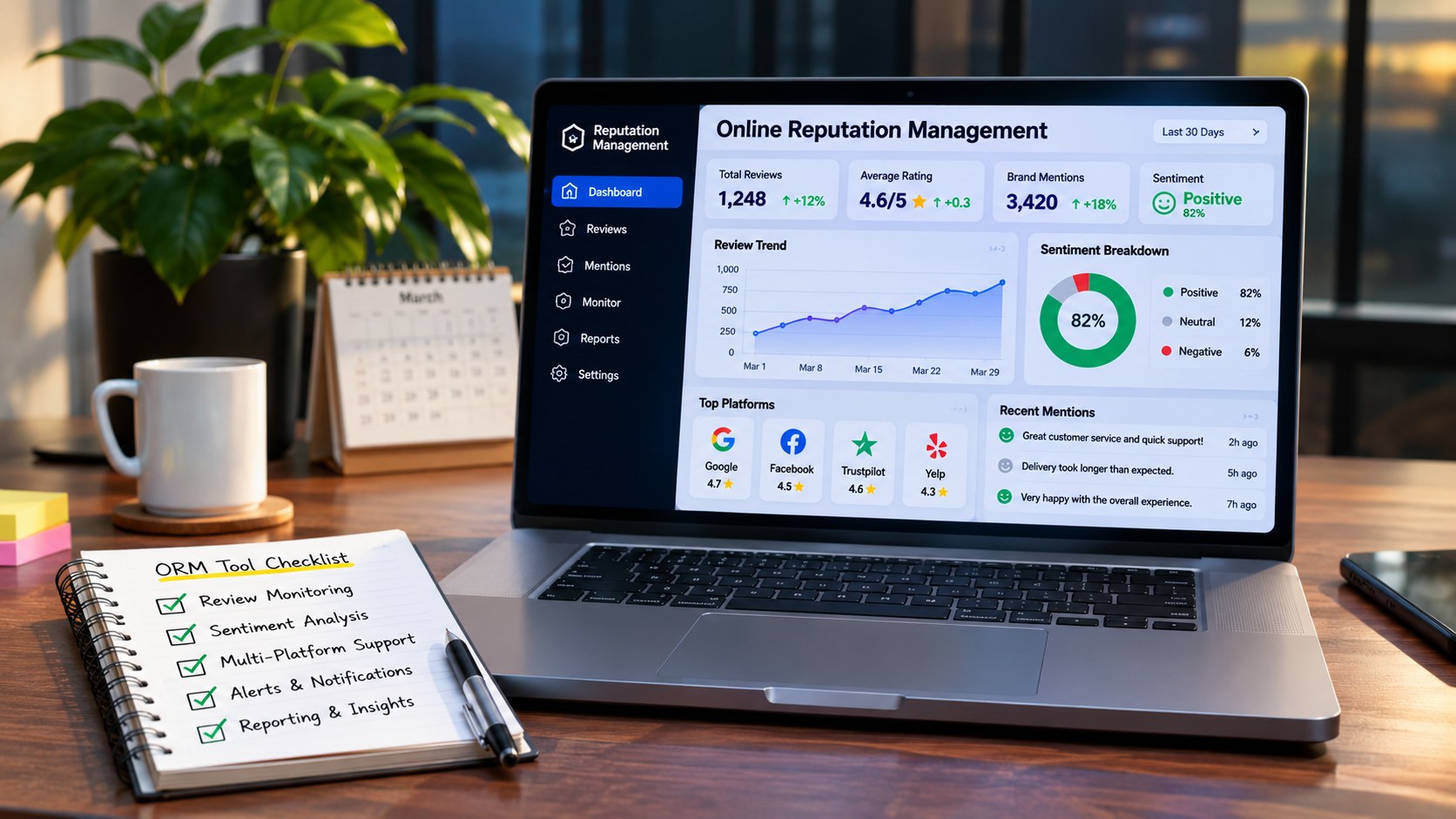
A business’s online reputation can influence how potential customers perceive its products, services, and overall credibility. Before contacting a company or making a purchase, people often search for customer reviews, ratings, brand mentions, and feedback across different online platforms.
For businesses, keeping track of these conversations can become difficult. Customer reviews may appear on multiple websites, social media discussions can develop quickly, and negative feedback may remain visible long after the original issue has been resolved.
This is where online reputation management tools become useful.
Online reputation management tools help businesses monitor their digital presence, collect customer feedback, analyse reviews, identify brand mentions, and understand how people perceive their organisation online.
However, choosing the right software requires more than comparing feature lists. A small business managing customer reviews may need a different solution from a large company monitoring brand mentions across multiple markets.
This guide explains what businesses should look for in online reputation management tools, which features matter most, and how to choose a platform that supports long term reputation management.
1. Understand What Online Reputation Management Tools Actually Do
Online reputation management tools are software platforms designed to help businesses monitor, analyse, and manage their public reputation across digital channels.
Depending on the platform, these tools may collect customer reviews, track brand mentions, generate reputation reports, monitor review ratings, and help teams respond to customer feedback.
For example, a restaurant may receive reviews through Google, while an online software company may receive feedback through software review platforms and community discussions.
Checking each platform manually can consume considerable time. Reputation management software helps bring selected information into a more organised workspace.
Common capabilities include:
- Review monitoring.
- Customer feedback collection.
- Brand mention tracking.
- Review response management.
- Sentiment analysis.
- Reputation reporting.
- Customer satisfaction insights.
- Competitor reputation monitoring.
Not every tool offers all these features. Some specialise in customer reviews, while others focus on brand monitoring, social listening, or broader reputation analysis.
Understanding your requirements is the first step towards selecting the right solution.
2. Review Monitoring Across Multiple Platforms
One of the most important features of reputation management software is the ability to monitor customer reviews across relevant platforms.
Customers do not always leave feedback in the same place. Depending on the industry, they may use search platforms, business directories, software review websites, marketplaces, or specialised industry communities.
A business that operates across several channels needs a clear overview of its customer feedback.
When evaluating review monitoring features, check whether the tool supports:
- Google Business Profile reviews.
- Industry specific review platforms.
- Software and SaaS review websites.
- Business directories.
- E commerce review platforms.
- Location based customer feedback.
For example, a software company may want to monitor feedback on platforms such as G2, Capterra, and Trustpilot, while a local service provider may prioritise Google reviews.
The important point is platform relevance. A tool that monitors hundreds of websites may still be unsuitable if it does not support the platforms that matter to your customers.
3. Real Time Alerts for New Reviews and Brand Mentions
Timing matters when managing online reputation.
A new customer review may contain an important complaint that requires attention. Similarly, a negative brand mention in a public discussion may need investigation before it spreads to other channels.
Reputation management tools with alert functionality help teams identify new activity without constantly checking every platform.
Look for features such as:
New review notifications: Receive alerts when customers publish new feedback.
Negative feedback alerts: Identify reviews that may require immediate attention.
Brand mention notifications: Monitor selected mentions of your business name or products.
Custom alert settings: Choose keywords, platforms, locations, or notification preferences.
Team notifications: Share important updates with the appropriate departments.
For example, a company receiving a complaint about delayed delivery can notify its customer support team and investigate the issue.
Alerts do not replace human review. Automated systems may misunderstand context, sarcasm, or the actual meaning of a customer comment. Important feedback should be reviewed before taking action.
4. Sentiment Analysis and Customer Feedback Insights
Collecting reviews is useful, but understanding what customers are saying is equally important.
Sentiment analysis uses software techniques, often supported by artificial intelligence, to classify text according to its expressed tone or opinion.
Depending on the tool, feedback may be grouped into positive, negative, and neutral categories.
Some platforms also identify recurring topics such as:
- Product quality.
- Customer support.
- Delivery experience.
- Pricing concerns.
- Website usability.
- Technical problems.
- Service satisfaction.
For example, an online store may receive several complaints about delayed shipping. A sentiment analysis feature can help identify this recurring topic across multiple customer comments.
Businesses can use these insights to understand customer expectations and identify areas that require improvement.
However, sentiment analysis is not always accurate. A customer may use positive words sarcastically or express mixed opinions in the same review.
For this reason, automated sentiment scores should be treated as guidance rather than a complete replacement for reading customer feedback.
5. Review Response Management
Responding to customer reviews demonstrates that a business is paying attention to feedback.
A professional response can help clarify misunderstandings, acknowledge problems, and show potential customers that the company takes customer experience seriously.
Some reputation management platforms allow businesses to manage responses from a central dashboard.
When comparing this feature, consider whether the software offers:
- Centralised review response management.
- Response notifications.
- Drafting and approval workflows.
- Team assignment options.
- Response templates.
- Historical response records.
For example, a business with multiple branches may assign customer feedback to different location managers.
A centralised system can help the team maintain consistent communication while ensuring that individual complaints reach the right people.
Responses should always be accurate, respectful, and relevant to the customer’s concern. Avoid publishing generic replies that make customers feel ignored.
6. Customer Review Collection and Feedback Requests
Reputation management is not only about monitoring existing reviews. Businesses also need ethical ways to encourage customers to share genuine experiences.
Review collection tools can help organisations request feedback after a purchase, completed service, or customer interaction.
Depending on the platform, these features may include:
- Automated review request messages.
- Email feedback campaigns.
- SMS review invitations.
- Customer feedback forms.
- Review request scheduling.
- Feedback tracking dashboards.
For example, a service business may send a feedback request after completing a project.
The purpose should be to make it easier for customers to share honest opinions, not to influence what they write.
Businesses should follow the review policies of each platform. Avoid buying reviews, offering rewards in exchange for positive ratings, suppressing negative feedback, or selectively asking only satisfied customers to publish public reviews where platform rules prohibit such practices.
Authentic customer feedback provides more meaningful information than artificially inflated ratings.
7. Brand Mention Monitoring and Social Listening
Customer reviews are only one part of a company’s online reputation.
People may also discuss a business through social media posts, forums, blogs, news articles, and online communities.
Brand mention monitoring helps businesses identify these conversations.
Social listening tools go further by analysing broader discussions around a company, industry, product, or relevant topic.
For example, a technology company may want to understand how people discuss its latest product launch across social platforms and industry communities.
Useful monitoring features include:
- Brand name tracking.
- Product and service keyword tracking.
- Competitor mention monitoring.
- Industry discussion monitoring.
- Public social media conversation tracking.
- Mention trend reports.
Some platforms also provide historical data, helping businesses understand whether public conversations are increasing or decreasing.
When selecting a tool, check which sources it can monitor. Social listening coverage differs between providers, and not every platform can access every online conversation.
8. Competitor Reputation Analysis
Understanding your own customer feedback is important, but businesses can also learn from competitor reviews.
Competitor reputation analysis helps organisations understand how customers perceive alternative products and services.
For example, a SaaS company may compare publicly available customer feedback about competing software platforms.
This can reveal recurring concerns related to usability, pricing, customer support, product features, or onboarding.
A useful competitor monitoring feature may provide:
- Competitor review summaries.
- Rating comparisons.
- Review volume trends.
- Frequently mentioned customer concerns.
- Public brand mention comparisons.
- Industry reputation insights.
However, competitor analysis should focus on understanding customer expectations rather than manipulating another company’s reputation.
Businesses should use publicly available information responsibly and avoid false claims or misleading comparisons.
9. Multi Location Reputation Management
Businesses with multiple branches face additional reputation management challenges.
A company operating in several cities may receive reviews for different locations, each with its own customer experiences and operational issues.
A centralised reputation management platform can help manage these separate profiles.
For example, a healthcare service provider, hotel group, restaurant chain, or retail business may need to monitor feedback from multiple branches.
Important multi location features include:
Location based review tracking: View feedback associated with individual business locations.
Centralised reporting: Compare customer feedback across branches.
Role based access: Allow authorised managers to manage their respective locations.
Location level alerts: Notify relevant teams when new feedback arrives.
Performance comparisons: Identify branches receiving recurring complaints or consistently positive feedback.
These insights can help management identify differences in service quality and prioritise improvements.
10. Reporting and Reputation Performance Metrics
A reputation management tool should help businesses understand whether their reputation is improving, declining, or remaining stable.
Reports make it easier to evaluate customer feedback and identify changes over time.
Useful reporting features may include:
- Average review ratings.
- Total review volume.
- New reviews over time.
- Positive and negative feedback distribution.
- Response rates.
- Response times.
- Common complaint categories.
- Location based comparisons.
- Brand mention trends.
For example, a company may notice that its average rating has remained stable while the number of negative reviews has increased.
Looking only at the average rating could hide this change. Review volume and feedback trends provide additional context.
Businesses should choose metrics that connect to their actual goals rather than focusing on a single reputation score.
11. Artificial Intelligence Features in Reputation Management
Artificial intelligence is becoming increasingly common in reputation management software.
AI powered features can help businesses process large volumes of feedback, identify recurring topics, summarise customer opinions, and draft potential responses.
Some platforms may offer:
Review summaries: Generate short summaries of customer feedback.
Topic identification: Identify frequently discussed products, services, or problems.
Response suggestions: Help customer support teams prepare draft responses.
Sentiment classification: Organise feedback according to estimated tone.
Trend identification: Highlight changes in customer discussions.
These features can reduce manual analysis, particularly for businesses receiving large volumes of reviews.
However, AI generated content should be reviewed before publication. A suggested response may contain incorrect assumptions or fail to understand the customer’s actual problem.
Businesses should also understand how the software processes customer information and whether sensitive data is used for model training or shared with third parties.
12. Integration With Existing Business Software
Reputation management software becomes more useful when it works alongside the systems a business already uses.
For example, customer feedback may need to be shared with a customer relationship management platform, support system, marketing dashboard, or internal reporting application.
Before purchasing, review the platform’s integration capabilities.
Common integration categories include:
- Customer relationship management software.
- Customer support platforms.
- Email marketing systems.
- Business listing management tools.
- Analytics platforms.
- Workflow automation software.
- Communication applications.
Some platforms provide built in integrations, while others support APIs or third party automation tools.
Check whether the integration is included in your selected plan and whether it requires additional configuration.
Do not assume that a platform supports a specific application simply because it advertises general integration capabilities.
13. Security, Privacy, and User Access Controls
Reputation management platforms may process customer reviews, business information, account details, and communication records.
Businesses should understand how this information is stored and protected.
Before selecting a tool, review:
- Data encryption practices.
- User authentication options.
- Role based permissions.
- Audit logs.
- Data retention policies.
- Account recovery procedures.
- Privacy documentation.
- Third party data sharing practices.
If multiple employees manage customer feedback, role based access can help ensure that users only access the information necessary for their responsibilities.
For businesses operating in multiple countries, review applicable data protection requirements and the provider’s data processing arrangements.
Security should be considered during the software selection process rather than after customer information has already been connected.
14. Pricing Models and Scalability
Reputation management tools are available at different price points.
Some offer free plans with limited functionality, while others charge monthly or annual subscriptions based on the number of locations, users, monitored platforms, or features.
Understanding the pricing model can prevent unexpected costs.
Before subscribing, check:
- Number of supported business locations.
- Number of connected review platforms.
- Monthly review monitoring limits.
- User account limits.
- Reporting features.
- AI feature availability.
- Integration costs.
- Contract and cancellation terms.
A small business may only need review monitoring and response management.
A larger organisation may require multi location reporting, automated feedback collection, team permissions, and advanced analytics.
Choose a platform that meets your current requirements while providing a reasonable upgrade path as your business grows.
15. How to Choose the Right Reputation Management Tool
With so many platforms available, comparing every feature can become confusing.
A more practical approach is to evaluate software according to your business requirements.
Step 1: Identify Your Main Reputation Challenge
Determine whether your biggest concern is negative reviews, customer feedback collection, brand mentions, competitor monitoring, or multi location management.
Step 2: Identify Important Review Platforms
List the websites where your customers regularly leave feedback.
Step 3: Compare Essential Features
Check review monitoring, notifications, response management, reporting, and integration capabilities.
Step 4: Evaluate Ease of Use
Choose software that your team can operate without unnecessary complexity.
Step 5: Review Pricing
Compare subscription costs with the actual features and usage limits.
Step 6: Test Before Committing
Use a free trial or demonstration where available. Connect a suitable business profile and test the main workflow.
Step 7: Review Privacy and Security
Understand how the provider handles customer information and account permissions.
A good reputation management platform should make your workflow easier, provide useful insights, and help your team respond to customer feedback more effectively.
16. Common Mistakes Businesses Should Avoid
Even with the right software, poor reputation management practices can reduce its effectiveness.
Avoid these common mistakes:
Focusing only on star ratings: Ratings provide an overview, but individual reviews explain why customers feel a particular way.
Ignoring negative feedback: Unresolved complaints can reveal operational problems that need attention.
Using automated replies without review: Generic responses may appear impersonal or fail to address customer concerns.
Buying fake reviews: Artificial feedback can damage credibility and violate platform policies.
Monitoring irrelevant platforms: Tracking websites that your customers rarely use can create unnecessary noise.
Ignoring employee responsibilities: A tool cannot manage reputation effectively if no one is responsible for reviewing alerts and responding to feedback.
Failing to measure progress: Without regular reporting, businesses may struggle to understand whether their reputation efforts are producing meaningful improvements.
Conclusion
Online reputation management tools help businesses understand how customers perceive their products, services, and brand across digital platforms.
The right software can simplify review monitoring, identify customer concerns, organise responses, track brand mentions, and provide valuable reputation insights.
However, the best platform depends on your business size, industry, customer channels, team structure, and budget.
Before selecting a solution, evaluate review coverage, alert features, sentiment analysis, response management, reporting, integrations, privacy, and pricing.
Most importantly, remember that reputation management is not just about monitoring ratings. It is about understanding customer experiences, addressing genuine concerns, and building trust through consistent communication and responsible business practices.
Frequently Asked Questions
1. What are online reputation management tools?
Online reputation management tools are software platforms that help businesses monitor customer reviews, track brand mentions, analyse feedback, manage responses, and understand their digital reputation.
2. Which features should I look for in reputation management software?
Important features include review monitoring, real time alerts, response management, sentiment analysis, reporting, brand mention tracking, customer feedback collection, and suitable integrations.
3. Are reputation management tools suitable for small businesses?
Yes. Small businesses can use these tools to monitor customer reviews, respond to feedback, and understand customer satisfaction without checking multiple platforms manually.
4. Can reputation management software monitor Google reviews?
Some platforms support Google Business Profile review monitoring and response management. However, available functionality depends on the provider and its current integrations.
5. How does AI help with online reputation management?
AI can help summarise customer feedback, identify recurring topics, classify sentiment, detect trends, and suggest draft responses. Human review remains important before acting on automated insights or publishing responses.
6. Can I monitor competitor reviews using reputation management tools?
Some platforms offer competitor review monitoring and comparison features. These can help businesses understand publicly available customer feedback and identify areas where their own products or services could improve.
7. What is sentiment analysis in reputation management?
Sentiment analysis is a method of analysing text to estimate whether customer feedback expresses positive, negative, or neutral opinions. It helps businesses identify patterns across large volumes of reviews.
8. Do reputation management tools help remove negative reviews?
These tools may help identify reviews that violate a platform’s policies and organise reporting workflows. They cannot guarantee removal. Legitimate negative customer feedback should generally be addressed professionally rather than removed simply because it is unfavourable.
9. How can businesses collect more genuine customer reviews?
Businesses can send polite feedback requests after purchases or completed services, provide convenient review instructions, and make it easy for customers to share honest experiences. Requests should follow the relevant platform’s review policies.
10. Are free reputation management tools available?
Yes. Some providers offer free plans or limited features. These may be suitable for smaller businesses, although advanced monitoring, multiple locations, and reporting may require paid subscriptions.
11. Can one reputation management tool monitor multiple business locations?
Some platforms support multi location management, allowing businesses to monitor reviews, manage responses, and compare performance across different branches. Check the provider’s location limits before subscribing.
12. How often should a business monitor its online reputation?
Businesses should review important feedback regularly. Companies receiving frequent customer reviews or operating in highly competitive industries may benefit from daily monitoring and automated notifications.
13. Is social listening different from review monitoring?
Yes. Review monitoring focuses on customer ratings and written reviews, while social listening tracks broader online conversations, including brand mentions, product discussions, and industry topics.
14. How much do online reputation management tools cost?
Pricing varies based on the provider, number of locations, supported platforms, users, and available features. Some offer free plans, while advanced business solutions use monthly or annual subscriptions.
15. Can reputation management software improve customer trust?
It can support trust building by helping businesses identify customer concerns, respond consistently, and improve service quality. However, genuine customer experiences and responsible business practices remain the foundation of a strong reputation.