 dev
Choosing the right proxy is not only about selecting an IP address or deciding which country you want to connect from. The way your IP behaves during a browsing session can have a significant impact on connection stability, website access, account management and automated tasks.
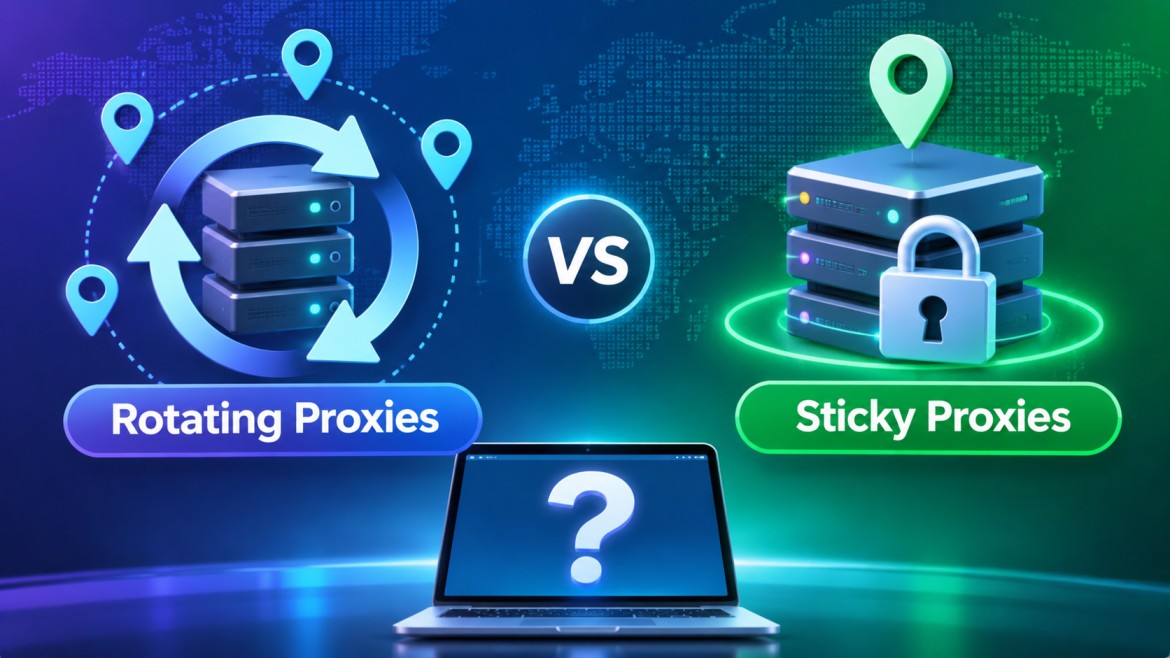
Two commonly used options are rotating proxies and sticky proxies. Although both can provide access to different IP addresses, they handle connections differently. A rotating proxy changes the IP address between requests or connections, while a sticky proxy attempts to maintain the same IP address throughout a defined session.
This difference becomes particularly important when working with multiple accounts, managing online stores, monitoring search results, collecting public information or testing website functionality.
Using the wrong session type can create unnecessary interruptions. For example, changing IP addresses while completing a checkout process may interrupt the session, while keeping one IP for every request during large scale data collection may limit flexibility.
So, which option should you choose?
The answer depends on what you are trying to accomplish. Let’s explore how both proxy types work, where they are useful and how to select the right configuration for your workflow.
What Are Rotating Proxies?
Rotating proxies automatically change the outgoing IP address according to the rotation method configured by the provider.
Instead of sending every request through one IP address, the proxy service selects addresses from an available IP pool. Depending on the provider, rotation may happen with every new request, when a connection is established or after a specific time interval.
For example, imagine you are checking the availability of a product across several public retail websites. Your first request might use an IP address from one residential network, while the next request could use another address.
You do not necessarily need to configure each IP manually. The proxy gateway manages the selection process.
How Rotating Sessions Work
A typical rotating proxy setup follows a straightforward process:
- You connect your browser or application to the proxy gateway.
- Your application sends a request to the destination website.
- The proxy provider selects an available exit IP.
- The request reaches the website through that IP.
- A subsequent connection may receive another IP address, depending on the rotation settings.
This approach is particularly useful when individual requests do not depend on previous browsing activity.
For example, checking public product prices, collecting publicly accessible information and monitoring search results can often be performed through separate connections.
Where Rotating Proxies Are Useful
1. Public data collection
Businesses that collect publicly available information may need to send numerous independent requests. Rotating proxies distribute those requests across an IP pool, helping avoid excessive concentration of traffic on one address.
2. Search result monitoring
Marketing teams often check how search results appear across different locations. Rotating residential IPs can help conduct location based checks without manually changing network connections for every test.
3. Price monitoring
Online retailers and research teams may compare product prices across several websites. Rotating connections can support these independent checks, provided the websites permit the activity.
4. Website availability testing
Testing how public pages load from different network locations can help identify regional performance differences and access problems.
However, rotation does not guarantee that a website will accept every request. Website restrictions, request frequency and IP reputation still matter.
What Are Sticky Proxies?
Sticky proxies maintain the same outgoing IP address for a specified period.
Unlike rotating proxies, which frequently change their exit addresses, sticky proxies are designed to provide connection continuity. The provider generally associates a session identifier with an IP address and attempts to reuse that address until the session expires or becomes unavailable.
This makes sticky proxies useful when several actions need to happen within one continuous browsing session.
Consider a simple example.
You open an online shopping website, sign in to your account, add a product to your cart and proceed to checkout. These actions are connected. The website may use cookies, browser information and server side session data to remember your activity.
If your IP address changes unexpectedly between these steps, the website may request additional verification or interrupt the session.
A sticky proxy helps maintain a consistent network connection during this process.
How Sticky Sessions Work
A sticky session typically operates through a session identifier.
When you connect to a provider’s proxy gateway, your credentials may include a unique session value. The provider uses this value to associate your connection with an available exit IP.
As long as the session remains active and the underlying residential connection is available, subsequent requests can continue using the same IP address.
A typical workflow looks like this:
- Connect to the proxy gateway.
- Generate or configure a session identifier.
- Receive an outgoing IP address.
- Continue browsing through the same session.
- Maintain the connection until the session duration expires or the provider loses the underlying connection.
Sticky duration varies between providers. Some offer short sessions, while others support longer connection periods.
It is important to understand that sticky does not always mean permanent. If you need the same IP address for several days or weeks, a static ISP or datacenter proxy may be more appropriate.
Rotating vs Sticky Proxies: Key Differences
Although both options provide proxy connectivity, their behaviour makes them suitable for different activities.
Here is a practical comparison.
| Feature | Rotating Proxies | Sticky Proxies |
|---|---|---|
| IP behaviour | Changes between requests or connections | Attempts to retain one IP |
| Session continuity | Limited when IP changes | Better continuity |
| IP management | Usually automatic | Managed through session settings |
| Account login | Less suitable | More suitable |
| Checkout testing | Can interrupt sessions | Better for multi step testing |
| Public data collection | Useful | Useful for session dependent collection |
| Search monitoring | Useful for independent checks | Useful for continuous browsing |
| IP duration | Depends on rotation settings | Depends on session duration |
| Main advantage | IP variety | Connection stability |
The most important distinction is whether your activity requires a consistent browsing identity.
If every request is independent, rotating proxies are generally a sensible option. If several actions belong to one browsing session, sticky proxies are usually a better choice.
Which Proxy Session Type Is Better for Account Management?
Account management requires more attention to session consistency than ordinary browsing.
When you sign in to a website, the platform may associate your activity with several signals, including:
- IP address and approximate location
- Browser cookies
- Device and browser information
- Login history
- Account security settings
- Unusual access patterns
Changing the IP address during an active session can sometimes trigger additional security checks.
For example, imagine a business administrator accessing an authorised company account to update profile information, review orders and manage customer enquiries.
Using a rotating proxy that changes the exit IP between connections may create unnecessary inconsistencies.
A sticky session can provide a more stable connection throughout the activity.
For accounts that require the same network address over longer periods, a dedicated static proxy may be worth considering.
One important point: a sticky proxy alone does not make account activity safe or guarantee that a platform will accept the connection. Follow the website’s account policies and security requirements.
Why Sticky Proxies Are Useful for Checkout and Online Shopping
Checkout is one of the clearest examples of a workflow where session continuity matters.
An online shopping process usually involves several connected actions:
- Opening a product page.
- Selecting a product variation.
- Adding the product to the shopping cart.
- Entering delivery information.
- Reviewing payment details.
- Completing the purchase.
The website may store information between these steps using cookies and server side session records.
If the network connection changes during the process, the website may interpret the activity as a new or unusual visit.
Possible consequences include:
- Being redirected to the login page.
- Losing cart information.
- Receiving an additional verification request.
- Encountering a temporary session error.
- Having to restart the checkout process.
A sticky proxy can help maintain the same exit IP during the entire testing process.
This is particularly useful for e-commerce businesses conducting authorised checkout testing across different locations.
For testing purposes, use approved test accounts and payment environments rather than repeatedly attempting real purchases.
Understanding Residential, ISP and Datacenter Proxies
There is another important factor to consider before selecting a session type: the source of the IP address.
Rotating and sticky describe how an IP address is maintained or changed. Residential, ISP and datacenter describe the network category associated with the proxy.
These are different classifications, and understanding the difference helps prevent purchasing the wrong service.
Residential Proxies
Residential proxies route traffic through IP addresses associated with residential internet connections.
They can be useful for location based testing, public website research and accessing content that behaves differently depending on the visitor’s network.
Residential services may offer both rotating and sticky session options.
ISP Proxies
ISP proxies use IP addresses associated with internet service providers but are hosted on server infrastructure.
They are generally selected when a business needs a consistent IP address combined with the network identity of an ISP.
Common applications include authorised account administration, long running workflows and IP allowlisting.
Datacenter Proxies
Datacenter proxies use IP addresses associated with hosting and data centre networks.
They are often attractive for tasks that require predictable performance, fast connections and fixed IP configurations.
They can be particularly useful for server communication, development environments and applications that permit datacenter connections.
The right choice depends on your requirements, not simply on which proxy category sounds more advanced.
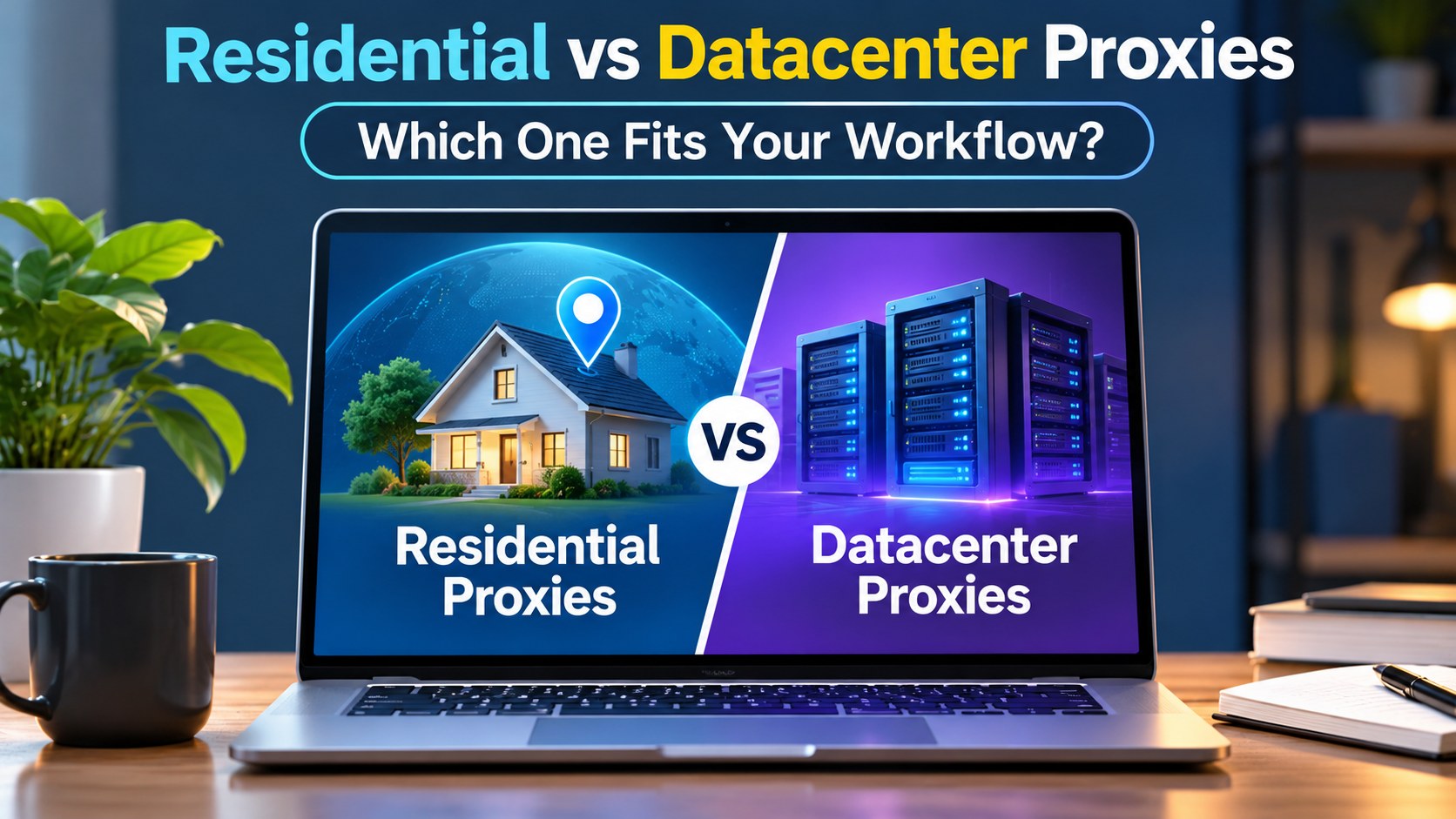
For a more detailed explanation of how these options differ, see our guide on residential vs datacenter proxies and which one fits your workflow.
How to Choose the Right Proxy for Your Workflow
Rather than purchasing a proxy plan based only on its advertised features, begin by identifying what your application needs.
The following decision process can help.
Step 1: Identify Whether Your Requests Are Connected
Ask yourself whether one action depends on information collected during the previous action.
If you are checking separate public webpages, requests may be independent. Rotating proxies can work well for this purpose.
If you are signing in, navigating account settings or completing a form, maintaining a consistent session is more important.
Step 2: Determine How Long the Session Must Last
Estimate how much time your activity requires.
For example, a short website testing process may need only a few minutes of connection stability.
A longer administrative workflow may require a more persistent connection.
Choose a sticky duration that comfortably covers the task. Do not assume that every provider offers the same session limits.
Step 3: Consider Your Geographic Requirements
Some businesses need to check how their websites appear in different countries or regions.
In that situation, consider whether you need:
- Country level targeting.
- State or regional targeting.
- City level targeting.
- Consistent geographic location throughout a session.
The availability of specific locations depends on the provider’s network.
Step 4: Check Connection Reliability
A proxy should not only provide the required IP behaviour. It should also offer reliable connectivity.
Before using it for important workflows, check connection stability, response times, authentication requirements and supported protocols.
Step 5: Compare the Total Cost
Rotating residential proxies are commonly charged according to bandwidth consumption, although pricing models vary.
Static ISP and datacenter proxies are frequently sold according to the number of IP addresses and subscription duration.
Consider how much traffic your application consumes and how many simultaneous connections it needs.
A cheaper plan may not necessarily be the most economical choice if it creates frequent interruptions or requires additional services.
Can You Use Rotating and Sticky Proxies Together?
Yes. In fact, using both session types within the same business environment can be a practical approach.
Not every online activity requires the same IP behaviour. A marketing team may need rotating proxies for public search result checks while using sticky sessions for continuous website testing.
Consider a digital marketing agency handling several activities:
| Business activity | Recommended option | Reason |
|---|---|---|
| Checking public search results | Rotating residential | Supports independent location based checks |
| Monitoring public product listings | Rotating residential | Suitable for separate page requests |
| Testing customer login pages | Sticky residential | Maintains session continuity |
| Testing shopping cart functionality | Sticky residential | Keeps connected actions within one session |
| Managing internal administration | Static ISP | Provides a consistent IP |
| Testing website response speed | Datacenter | Offers predictable server connectivity |
The advantage of this approach is flexibility. You do not have to use one proxy configuration for every project.
You can select the connection type according to the requirements of each application.
However, remember that using multiple proxy types does not remove website restrictions or guarantee uninterrupted access. Your team should still follow the relevant platform policies and technical limits.
Common Mistakes to Avoid When Selecting Proxy Sessions
Even experienced proxy users sometimes choose an unsuitable configuration. Here are some mistakes worth avoiding.
1. Using Rotating Proxies for Every Activity
Frequent IP changes are not always beneficial. If an application relies on cookies, login sessions or server side state, changing the IP can create unnecessary complications.
Choose rotation when the requests are independent rather than assuming that frequent IP changes will improve every workflow.
2. Confusing Sticky and Static Proxies
These two terms are often used interchangeably, but they describe different behaviours.
A sticky proxy maintains an IP for a limited session period. A static proxy provides an assigned IP that generally remains available throughout the subscription period.
If you need a consistent connection over several days, check whether a static option is more appropriate.
3. Ignoring Session Expiration
Sticky sessions have defined durations. If a session expires while an application is still running, the connection may move to another IP.
Always check the provider’s session limits and plan important workflows accordingly.
4. Choosing a Proxy Without Testing It
Do not assume that every proxy will perform equally well with your browser, application or destination website.
Test the connection before deploying it across an entire team. Check the outgoing IP, location, response time and whether the required workflow completes successfully.
5. Overlooking Bandwidth Consumption
Some proxy services charge according to data usage. Large webpages, images, video content and repeated requests can increase bandwidth consumption.
Monitor traffic and remove unnecessary requests from automated workflows.
Final Thoughts
Rotating and sticky proxies solve different connectivity problems. Neither is automatically better than the other.
Rotating proxies are useful when you need IP variety for independent requests, public information collection, location based checks and website research.
Sticky proxies are more appropriate when several actions need to remain connected through the same IP address, such as account logins, authorised account administration, shopping cart testing and multi step website workflows.
There is also a third option worth considering. Static ISP and datacenter proxies can provide longer term IP consistency when a temporary sticky session is not enough.
Before selecting a service, evaluate your workflow, expected session duration, geographic requirements, connection quality and budget.
The best proxy configuration is the one that supports your actual business requirements without introducing unnecessary complexity.
Frequently Asked Questions
1. What is the main difference between rotating and sticky proxies?
Rotating proxies change the outgoing IP address between requests or connections, depending on the provider’s settings. Sticky proxies attempt to maintain the same IP address for a specified session duration.
2. Are sticky proxies better than rotating proxies?
Neither option is universally better. Sticky proxies are generally more suitable for activities requiring session continuity, while rotating proxies are useful for independent requests and location based research.
3. Can rotating proxies be used for account management?
They can be used for certain authorised account related activities, but frequent IP changes may trigger security checks or interrupt existing sessions. For continuous account administration, a stable connection is generally preferable.
4. How long does a sticky proxy session last?
The duration depends on the proxy provider and selected plan. Some services offer sessions lasting a few minutes, while others provide longer periods. Check the provider’s documentation before purchasing.
5. Do sticky proxies change IP addresses automatically?
They can change when the configured session expires, the underlying residential device becomes unavailable or the provider cannot maintain the original connection. Sticky sessions do not guarantee permanent IP retention.
6. Can I use one proxy gateway for both rotating and sticky sessions?
Some residential proxy providers support both options through the same gateway. The session behaviour can usually be controlled through connection credentials or session identifiers. The exact configuration depends on the provider.
7. Are residential sticky proxies suitable for e-commerce testing?
Yes. They can be useful for authorised testing of product pages, shopping carts, login functionality and checkout workflows where maintaining one IP throughout the test is beneficial.
8. What is the difference between a sticky residential proxy and a static ISP proxy?
A sticky residential proxy attempts to retain an IP from a residential network for a limited period. A static ISP proxy provides a fixed IP associated with an internet service provider for the duration of the subscription.
9. Which proxy is better for checking search rankings across different cities?
Rotating residential proxies with suitable geographic targeting can help conduct independent location based search checks. For accurate comparisons, use consistent search terms, locations, device settings and testing conditions.
10. Can a sticky proxy prevent website blocks?
No. Maintaining the same IP does not guarantee access or prevent restrictions. Websites may evaluate traffic patterns, IP reputation, account activity, browser characteristics and other security signals.
11. Should beginners choose rotating or sticky proxies?
Beginners should start by identifying the activity they want to perform. For independent public webpage checks, rotating proxies are a reasonable starting point. For multi step browsing and authorised account workflows, sticky sessions are generally easier to manage.
12. When should I upgrade to a static proxy?
Consider a static proxy when your application needs the same IP address for an extended period, particularly for authorised administration, server access, IP allowlisting or long running business operations.