
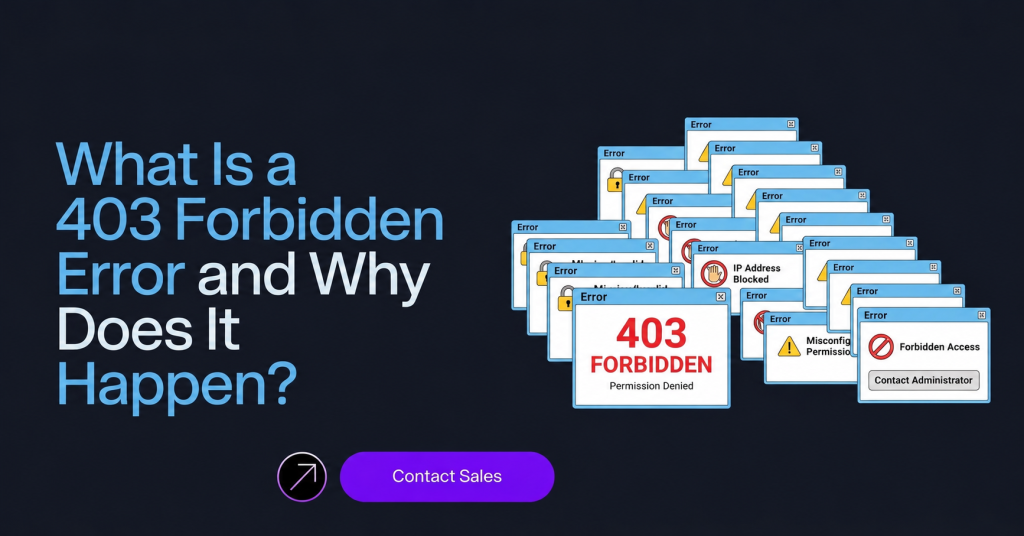
A 403 Forbidden error appears when a website receives your request but decides not to allow access to the page or resource you are trying to open. The server understands the request perfectly, but it intentionally blocks it.
For regular users, this may happen while opening restricted pages or protected directories. But for developers, marketers, and businesses running automation or scraping tools, 403 errors are one of the most common roadblocks online.
Over the last few years, websites have become far more aggressive about blocking suspicious traffic. Instead of relying only on passwords or login systems, modern platforms now analyze browsing behavior, IP reputation, browser fingerprints, and request patterns before deciding whether to allow access.
That is why a website may block you even if the page technically exists.
Why Websites Use 403 Forbidden Errors
Websites use 403 responses as a security mechanism.
The goal is simple: protect servers, data, and users from unwanted activity.
Large platforms constantly deal with problems like:
- Automated bots
- Spam traffic
- Fake account creation
- Data scraping
- Credential attacks
- Excessive requests
To control this, websites monitor incoming traffic and block anything that looks abnormal.
Sometimes the restriction is intentional, such as private pages that require permission. Other times, the system automatically flags suspicious behavior and denies access before the request even loads fully.
The Most Common Causes of 403 Errors
One of the biggest reasons behind a 403 error is IP reputation.
If too many requests come from the same address within a short period, the website may assume the traffic is automated. Datacenter IPs are especially vulnerable because many websites already associate them with bots and scraping systems.
Another major trigger is unrealistic browser behavior. Modern anti-bot systems do much more than inspect IP addresses. They analyze browser fingerprints, device settings, language preferences, timezone consistency, and interaction patterns to determine whether the visitor appears human.
For example, if a browser claims to be in Germany while using a US timezone and an unusual browser configuration, the session can quickly become suspicious.
Request quality also matters. Websites expect traffic to behave like a real browser session. Missing headers, incomplete cookies, or unnatural navigation patterns can all increase the risk of being blocked.
In some cases, websites apply geographic restrictions and deny traffic from specific countries or regions entirely.
Why 403 Errors Are Common in Web Scraping
Web scraping tools often trigger multiple security systems at the same time.
A scraper may rotate through hundreds of pages quickly, send requests at perfectly consistent intervals, or operate without proper browser rendering. While this may seem efficient from a technical perspective, websites interpret it very differently.
Human users browse naturally. They pause, scroll, click inconsistently, and navigate unpredictably.
Bots usually do not.
That difference is exactly what anti-bot systems look for.
Many ecommerce websites, ticketing platforms, travel portals, and social media networks actively monitor for these signals. Instead of showing a visible block page, they may silently return 403 responses, trigger CAPTCHA challenges, or partially load content to slow automation systems down.
How to Fix a 403 Forbidden Error
The right solution depends on what caused the block.
For casual browsing, clearing cookies, refreshing the page, or changing networks may solve the issue quickly.
For scraping and automation projects, the fix is usually more technical.
Using high-quality residential proxies can help because residential IPs appear more like genuine user traffic. At the same time, the browser environment also needs to look believable. Things like timezone, browser version, language, and device configuration should align naturally with the IP location being used.
Request behavior is equally important. Sending requests too aggressively is one of the fastest ways to get blocked. Slower browsing patterns, realistic interaction timing, and proper session handling help reduce suspicion significantly.
Modern websites also expect fully rendered browser environments. Basic scripts that send raw HTTP requests often struggle against advanced anti-bot systems because they lack normal browser behavior and JavaScript execution.
The Growing Role of Anti-Bot Systems
Today’s websites rely heavily on advanced security platforms such as Cloudflare and Akamai to detect suspicious traffic.
These systems analyze far more than simple request counts.
They evaluate:
- IP reputation
- Browser fingerprints
- Mouse behavior
- Session consistency
- Request timing
- Navigation flow
- Automation signals
The decision to block a request is rarely based on one factor alone. Usually, multiple suspicious signals combine to create enough risk for the system to deny access.
Final Thoughts
A 403 Forbidden error is no longer just a simple permissions issue. In modern web environments, it often reflects how advanced security systems evaluate traffic authenticity.
For businesses and developers running automation systems, solving 403 errors requires more than rotating proxies or changing IP addresses. Success now depends on creating browsing behavior that looks natural, consistent, and genuinely human.
As websites continue improving their anti-bot technology, understanding how these systems work becomes essential for building reliable and sustainable automation workflows.